Newsrooms are no longer stuck in offices with desktop computers and landline phones. Many small and mid-sized news teams are now running their entire operation through Telegram - not just for messaging, but for content collaboration, assignment tracking, and real-time publishing. If you’re part of a news team that’s still using email chains, Google Docs with 27 comment threads, or scattered Slack channels, you’re probably losing time - and stories.
Telegram doesn’t just let you send messages. It lets you build a full newsroom inside a single app. With multi-admin workflows, you can assign stories, auto-post updates, sync files, and track deadlines - all without switching apps. And it’s not just for tech startups. Independent journalists, community news sites, and even regional bureaus are using it because it works where other tools fail.
How Telegram Becomes Your Newsroom
Most people think of Telegram as a messaging app for personal chats. But under the hood, it’s a powerful collaboration engine. Unlike WhatsApp, which caps groups at 1,024 members, Telegram supports groups of up to 200,000. That means you can have one group for your entire news team - reporters, editors, fact-checkers, photographers - and still keep it organized.
Here’s how real teams use it:
- Dedicated channels for each beat: Politics, Crime, Education, Health. Each channel gets its own admin who posts updates, shares documents, and flags breaking news.
- Announcement groups for major stories. When a story goes live, it’s posted here first. Only editors and senior staff can post here - everyone else reads.
- Project chats for ongoing investigations. These are private, invite-only groups where reporters share tips, interview transcripts, and raw footage.
- Pinned messages with editorial guidelines: deadlines, tone rules, source verification steps. No more hunting through old messages.
One team in rural Ohio uses this setup to cover county government. They have five admins: three reporters, one editor, and one graphics lead. Every morning, the editor drops a pinned message: "Today’s deadline: 3 PM. Breaking: Council meeting at 10 AM. File: Budget draft v3." That’s it. No meeting. No email. Just clarity.
Task Management Without Extra Tools
You don’t need Trello, Asana, or Monday.com. Telegram handles task tracking natively - if you know how to use it.
Here’s the trick: use custom labels and replies to create a visual workflow.
- Reporter posts: "Draft: City Council budget draft attached."
- Editor replies: "@factcheck - verify source 3. @design - create chart. Status: In Review"
- Fact-checker replies: "Source 3 confirmed. Added citation. Status: Approved"
- Designer replies: "Chart done. Sent to editor. Status: Ready"
- Editor replies: "Published. Status: Done"
That’s a full editorial pipeline - tracked in real time, visible to everyone, and searchable forever. No spreadsheets. No logging in. Just conversation.
Teams using this method report a 40% drop in missed deadlines. Why? Because the status is always visible. No one can say, "I didn’t know I was supposed to do that."
Automation That Actually Saves Time
Manual work kills news teams. Copying files. Posting to social. Sending reminders. Telegram fixes this with automation - and you don’t need to be a coder to set it up.
Here are three real automations news teams use daily:
- Auto-post from social media: When a new post appears on Facebook or Instagram from a city council member, a bot automatically shares it to your Telegram "Breaking News" channel. No one has to watch social feeds.
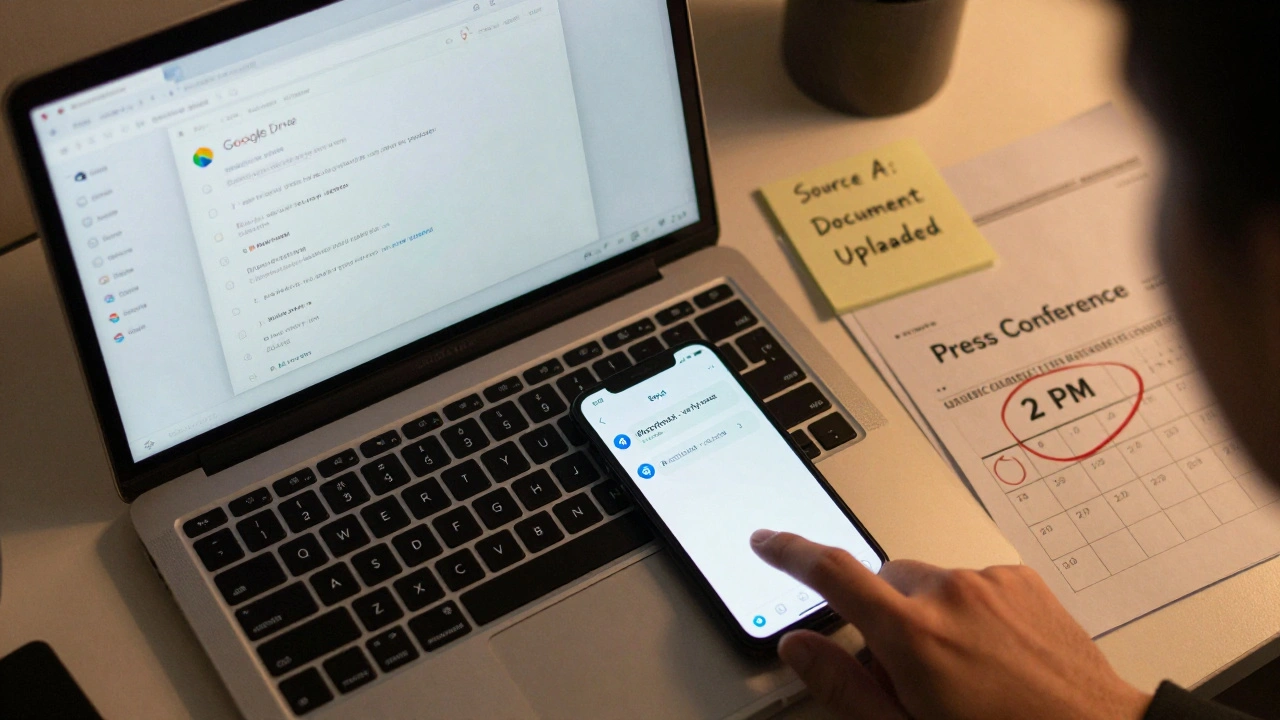
- Google Drive sync: When a reporter uploads a new draft to a shared folder, Telegram gets a notification: "New draft: Budget Analysis v4.1 - uploaded by Jane Doe." Everyone sees it instantly.
- Calendar alerts: Your editor’s Google Calendar has meetings tagged as "Press Conference" or "Source Interview." A bot pulls those events and sends a daily digest to the team: "Today: 2 PM - City Hall presser. File: Q&A draft attached."
Tools like Pabbly Connect and N8n make this easy. You drag and drop triggers and actions. No code. Setup takes 15 minutes. And once it’s running, it runs 24/7 - even when you’re asleep.
Role-Based Permissions: Who Can Do What
Not everyone needs access to everything. A new reporter shouldn’t be able to delete a published story. A photographer shouldn’t have to approve fact-checks.
Telegram’s native admin roles (Admin, Moderator) are too basic. But with third-party tools like Entergram and CRMchat, you can build custom permission layers:
- Reporters: Can upload drafts, tag sources, request fact-checks.
- Editors: Can approve drafts, assign tasks, trigger publication.
- Fact-checkers: Can only view flagged items and add verification notes.
- Admins: Can manage automation rules, add/remove users, view all activity logs.
This isn’t just about control - it’s about safety. In journalism, source confidentiality matters. With Entergram’s privacy model, admins can see that a task was completed, but they can’t read private messages between a reporter and their source. That’s critical. You don’t want your team’s sources exposed just because someone else has "admin" rights.
Security That Protects Sources
Newsrooms deal with sensitive information. Leaks. Whistleblowers. Confidential documents. Telegram’s encryption isn’t just for chats - it’s for workflows.
Two-factor authentication is required for all admins. File uploads are encrypted. And tools like Entergram don’t store message content - they only track metadata: who did what, when, and where.
One investigative team in Eastern Europe uses Telegram to coordinate leaks from government insiders. They never discuss names or locations in group chats. Instead, they use coded labels: "Source A" = city hall official, "Source B" = court clerk. The bot auto-tags files with these labels. Editors see "Source A: Document uploaded" - but never know who Source A is. That’s how you protect people and still move fast.
Integration With Your Existing Tools
Telegram doesn’t replace your CMS - it connects to it.
If you use Contentful, WordPress, or Medium, you can set up webhooks so that every time an article is published, a message pops up in your team’s Telegram channel: "Published: "Local School Budget Cuts" - 12,400 views."
Same with CRM tools. If a reader submits a tip via your website form, it auto-creates a Telegram message: "New tip: 3 PM, Main St. Fire. Contact: [email protected]. Status: Pending." Your reporter sees it on their phone while walking to the scene.
Even email works. Set up a Gmail filter that forwards tips from "[email protected]" directly into a Telegram group. No more checking five inboxes.

Who’s Using This - And Why
You won’t find this in The New York Times newsroom. But you’ll find it everywhere else.
Independent news sites in Latin America use it because it’s free, works on low-bandwidth phones, and doesn’t require corporate approval. Community radio stations in Appalachia use it to coordinate volunteer reporters across 12 counties. Student journalists at small colleges use it because their university won’t pay for Slack or Microsoft Teams.
Why? Because Telegram is fast, cheap, and doesn’t lock you in. No contracts. No monthly fees. No corporate dashboards. Just a simple app that works.
Teams that switched from email + Google Docs to Telegram report:
- 50% faster story turnaround
- 70% fewer miscommunications
- Zero lost files
Limitations - And How to Work Around Them
It’s not magic. There are gaps.
1. No native approval workflows. Telegram doesn’t have a "Submit for Approval" button. Solution? Use replies with "Status: Awaiting Edit" and pin the list of pending items.
2. No audit trail. If you need compliance logs (like for nonprofit funding), Telegram doesn’t auto-generate PDFs. Solution? Use Zapier to send every task update to a Google Sheet. It’s not perfect - but it’s enough.
3. Setup takes effort. You can’t just turn it on. You need to design the system. Start small: one channel. One automation. One permission level. Build from there.
Most teams fail because they try to build the whole thing on day one. Don’t. Test one thing. Fix it. Then add another.
Where This Is Headed
Telegram’s API is opening up. More tools are coming. Soon, you’ll be able to:
- Assign story deadlines directly from a calendar
- Tag sources in documents and auto-link them to contact info
- Get AI-powered suggestions: "This quote matches Source X’s past statements - verify tone."
But the real shift isn’t in tech. It’s in mindset. News isn’t about big offices or corporate hierarchies anymore. It’s about speed, trust, and flexibility. Telegram gives teams that power - without the bloat.
If you’re still using email chains to run your newsroom - you’re not behind. You’re already obsolete.
Can Telegram handle news workflows for large teams?
Yes - if structured properly. Telegram supports up to 200,000 members in a single group. Large teams break into subgroups by beat or section (e.g., "Politics," "Health") with dedicated admins. Automation tools like N8n and Entergram let you assign roles, control access, and track tasks without needing a dedicated IT team.
Is Telegram secure enough for confidential journalism?
Telegram offers end-to-end encryption for secret chats, but group chats are not encrypted by default. For confidential work, use private, invite-only groups with two-factor authentication enabled. Tools like Entergram add metadata-level oversight without accessing private messages - keeping source identities hidden from admins. Always avoid discussing names, locations, or identifying details in group chats.
Do I need to pay for tools to use Telegram for news?
No. Telegram itself is free. Basic collaboration - channels, groups, file sharing - works without cost. But automation, role-based access, and integrations (like Google Drive or calendars) require third-party tools like Pabbly Connect, N8n, or Entergram. These often have free tiers for small teams. Paid plans start around $10/month and scale with team size.
How do I stop chaos in a big Telegram news group?
Use clear structure: 1) Dedicated channels for announcements and publishing, 2) Private groups for sensitive discussions, 3) Pinned messages with rules and deadlines, 4) Admins who only post when necessary. Ban off-topic replies. Use bots to auto-delete messages that don’t follow format. A 10-minute daily cleanup routine prevents overload.
Can I integrate Telegram with my CMS like WordPress?
Yes. Use webhooks or bots to connect your CMS to Telegram. For example, when you publish a story on WordPress, a webhook sends a message to your team’s Telegram channel: "New article live: [Title]. View: [Link]." You can also set up triggers so that draft updates or comments in your CMS auto-post to Telegram for review. Tools like Zapier or N8n handle this in under 10 minutes.
What’s the biggest mistake teams make when starting?
Trying to do everything at once. Don’t set up 10 channels, 5 automations, and 7 permission levels on day one. Start with one channel for breaking news. Add one automation - like auto-posting from social media. Then, add one admin role. Let the system evolve. Most teams that fail do so because they overcomplicate it early. Simplicity wins.