Imagine waking up to find your Telegram channel already filled with the latest headlines - no manual copy-pasting, no late-night posting, no missed updates. That’s not magic. It’s automation. And it’s easier than you think.
Telegram isn’t just for chatting. It’s a powerful broadcast tool. News outlets, tech communities, PR teams, and even solo bloggers use it to reach thousands instantly. But manually posting every article? That’s a grind. Enter automation: scripts and bots that do the work while you sleep.
You don’t need to be a developer. You don’t need fancy servers. You just need a few tools, a clear goal, and 15 minutes. Here’s how to set it up - from zero to automatic news delivery.
Why Automate News Posts on Telegram?
Let’s be real: if you’re posting news manually, you’re wasting time. Even if you only post twice a day, that’s 730 posts a year. Each one takes 2-5 minutes. That’s over 60 hours of your life spent on copying links and pasting titles.
Automation fixes that. It lets you:
- Post news 24/7 without lifting a finger
- Never miss breaking stories - even at 3 a.m.
- Send the same article to 10 different channels at once
- Filter out junk: only post articles with keywords like "AI" or "crypto"
- Keep your audience engaged with consistent updates
Real users do this. A tech blogger in Berlin auto-posts from TechCrunch, Wired, and Hacker News every hour. A PR firm in Toronto sends out press releases to 50+ Telegram groups for clients. A small news site in Brazil uses it to redistribute AP and Reuters headlines to local readers.
How It Works: The Simple Pipeline
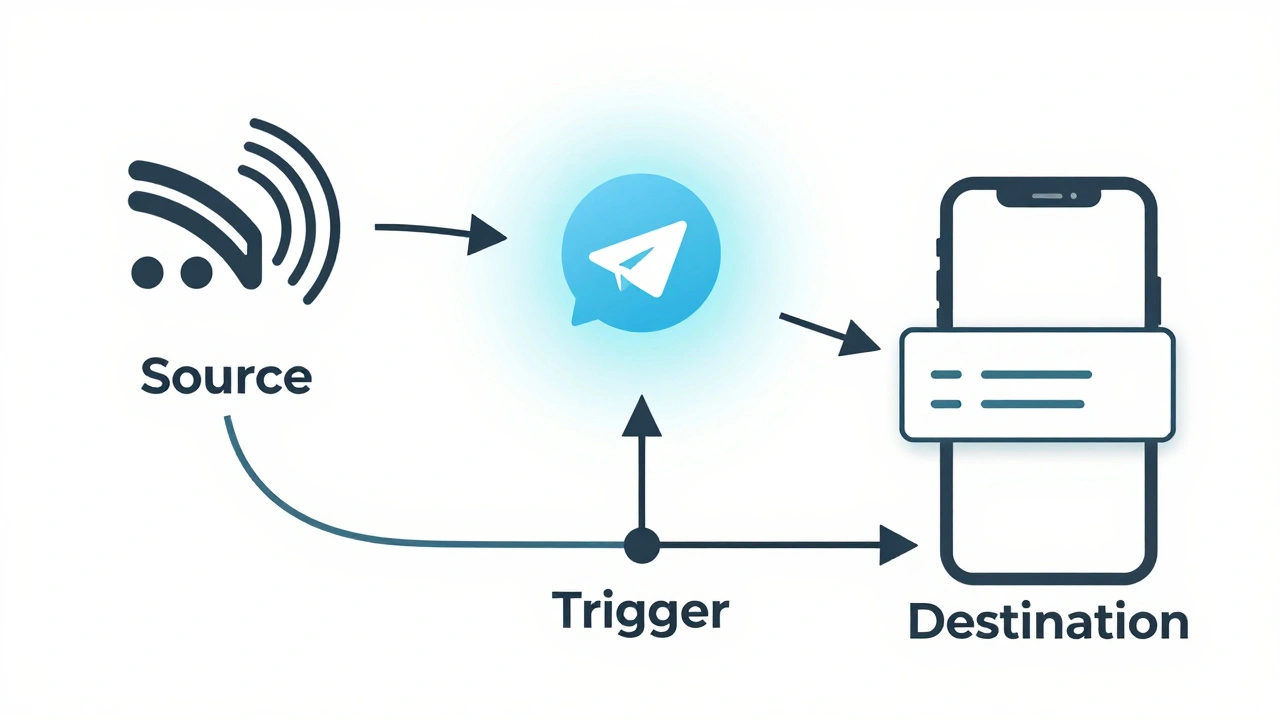
At its core, this automation has three parts:
- Source: An RSS feed - a standardized format that news sites use to publish headlines.
- Trigger: A tool that watches the feed and notices when something new appears.
- Destination: Your Telegram channel, where the article gets posted automatically.
Most news sites still offer RSS feeds. Even if they hide them, you can generate one using tools like RSS.app is a no-code platform that turns Google News searches into live RSS feeds. So even if a site drops RSS, you’re covered.
The magic happens when you connect that feed to Telegram. You don’t need to understand code. You just need to plug in a few values: your bot token, your channel ID, and the feed URL.
Step-by-Step Setup: No Coding Required
Here’s how to get started in under 15 minutes - using RSS.app is a no-code platform that turns Google News searches into live RSS feeds as the easiest path.
- Create your Telegram bot
Open Telegram, search for @BotFather, and start a chat. Type/newbot. Follow the prompts. You’ll get a long string like123456789:ABCdefGhIJKlmnoPqrStuVwxyZ. Copy it. That’s your bot token. - Get your channel’s ID
Forward any message from your Telegram channel to @getidsbot. It replies with a number like-1001234567890. That’s your Chat ID. Save it. - Build your RSS feed
Go to RSS.app is a no-code platform that turns Google News searches into live RSS feeds. Type in a Google News search like"climate change" site:bbc.com. Click "Create Feed." It generates a URL likehttps://rss.app/feeds/abc123. - Connect to Telegram
In RSS.app, click "Add Destination," then pick "Telegram." Paste your bot token and Chat ID. Choose whether to post title + link, or full summary. Click "Save." - Test it
RSS.app sends a test post immediately. If it shows up in your channel? You’re done. No restarts. No errors. Just work.
You can repeat this for 10 different feeds - CNN, The Verge, MIT Technology Review - and send them all to separate channels. One setup. Zero ongoing effort.
What If You Want More Control?
What if you want to filter out articles with "sports"? Or only post when the headline has "startup"? Or skip posts with no image?
That’s where N8N is an open-source automation platform with visual workflow nodes for advanced filtering and scheduling comes in. It’s free, runs on your computer or cloud, and gives you full control.
Here’s how it works:
- Use an RSS Feed Reader node to pull in articles.
- Add a Filter node to skip posts with "advertising" or "opinion" in the title.
- Use a Limit node to only send the top 3 articles per day.
- Use a Schedule Trigger to post at 8 a.m. and 6 p.m. daily.
- Send it all to Telegram with a Telegram node.
You can even add logic: "If the article has a video, tag it with 🎥. If it’s from Reuters, add 🌍."
It takes 30-45 minutes to set up - but once it’s running, it’s bulletproof. And since it’s open-source, no monthly fees.
For Developers: Python Scripts
If you know Python, you can build this yourself. Use the python-telegram-bot is a library that lets developers send messages to Telegram via API package.
Here’s the bare bones:
import feedparser
from telegram import Bot

bot = Bot(token="YOUR_BOT_TOKEN")
feed = feedparser.parse("https://rss.app/feeds/abc123")

for entry in feed.entries[:3]:
    message = f"{entry.title}\n{entry.link}"
    bot.send_message(chat_id="YOUR_CHAT_ID", text=message, parse_mode="HTML")
Run this script every hour using a free cron job (on Linux) or Task Scheduler (on Windows). You can add email alerts, logging, or error handling. It’s not hard - just needs a little time.
But unless you’re already coding, stick with RSS.app or N8N. You’ll save weeks of debugging.
Common Mistakes and How to Avoid Them
People think automation is "set and forget." It’s not. Here’s what goes wrong - and how to fix it.
- Bot can’t post
Did you give the bot "Post Messages" permission in your channel settings? Go to Channel Info > Edit > Permissions. Toggle "Post Messages" ON. If it’s off, the bot sits there silently. - Articles are missing images
Some RSS feeds strip images. Use RSS.app’s "Include Featured Image" option. Or switch to a feed that includes full content. - Duplicate posts
Some feeds update every 15 minutes - even if nothing changed. Use RSS.app’s "Remove Duplicates" filter. Or in N8N, add a "Hash" node to detect repeats. - Feed stops working
News sites kill RSS feeds. Check your feed URL every few weeks. If it’s broken, rebuild it in RSS.app. Set a calendar reminder. - Too many posts
Don’t flood your channel. Limit to 3-5 posts per day. Use the "Limit" node in N8N or RSS.app’s "Max Items" setting.

Who Uses This? Real Examples
- Local news sites - auto-post from AP, Reuters, and county press releases.
- Crypto communities - pull from CoinDesk, Cointelegraph, and Bitcoin.com.
- Startup newsletters - auto-send blog posts from founders to subscribers.
- Academic groups - share new papers from arXiv and PubMed.
- PR agencies - broadcast press releases to 30+ media channels at once.
It’s not about tech. It’s about consistency. People show up when they know something’s always there.
What’s Next? Scaling Up
Once you’ve got one channel running, try this:
- Split feeds by topic: "AI" channel, "Climate" channel, "Crypto" channel.
- Add a "Top 5 Today" post every evening using N8N’s sorting and ranking nodes.
- Link your Telegram channel to your website - embed recent posts as a widget.
- Use a service like Zapier is a no-code automation tool that connects Telegram to 5000+ apps to auto-post to Twitter or LinkedIn too.
Some users manage 50+ channels. One guy in Poland auto-posts news from 120 sources to 80 Telegram groups. He doesn’t even check it anymore.
That’s the goal: make your content work for you.
Final Tip: Keep It Simple
Don’t overcomplicate. Start with RSS.app. Get one feed working. Then add another. Wait a week. See if your audience grows. If yes? Add filters. If no? Tweak the timing or message style.
Automation isn’t about fancy code. It’s about removing friction. The less you have to do, the more you’ll do. And that’s the whole point.