Most people think Telegram is just a messaging app. But if you’re running marketing campaigns, it’s a powerful traffic channel-just one that doesn’t play nice with your analytics tools. You send out a link in a Telegram group or channel, users click it, and then… nothing. No data in Google Analytics. No idea if that campaign drove sales, sign-ups, or even page views. That’s because Telegram doesn’t send clean referral data like Facebook or Twitter does. The solution? Tagging Telegram traffic with UTM parameters.
Why Telegram Traffic Disappears in Your Analytics
Telegram doesn’t pass referral information the way other platforms do. When someone clicks a link in WhatsApp or Instagram, your analytics tool usually sees it as coming from ‘instagram.com’ or ‘whatsapp.com’. Telegram? It often shows up as ‘direct’ traffic-or worse, it’s just missing entirely. This happens because Telegram caches links for 24 hours and strips out tracking data before sending the click. Even worse, if your link is too long, Telegram cuts it off. You might think your campaign is failing, but you’re just blind to what’s really happening.Without tagging, you can’t tell if a 10,000-member group drove 50 conversions or 5. You can’t compare which channel post performed better. You’re guessing. And guessing isn’t a strategy.
How UTM Parameters Fix This
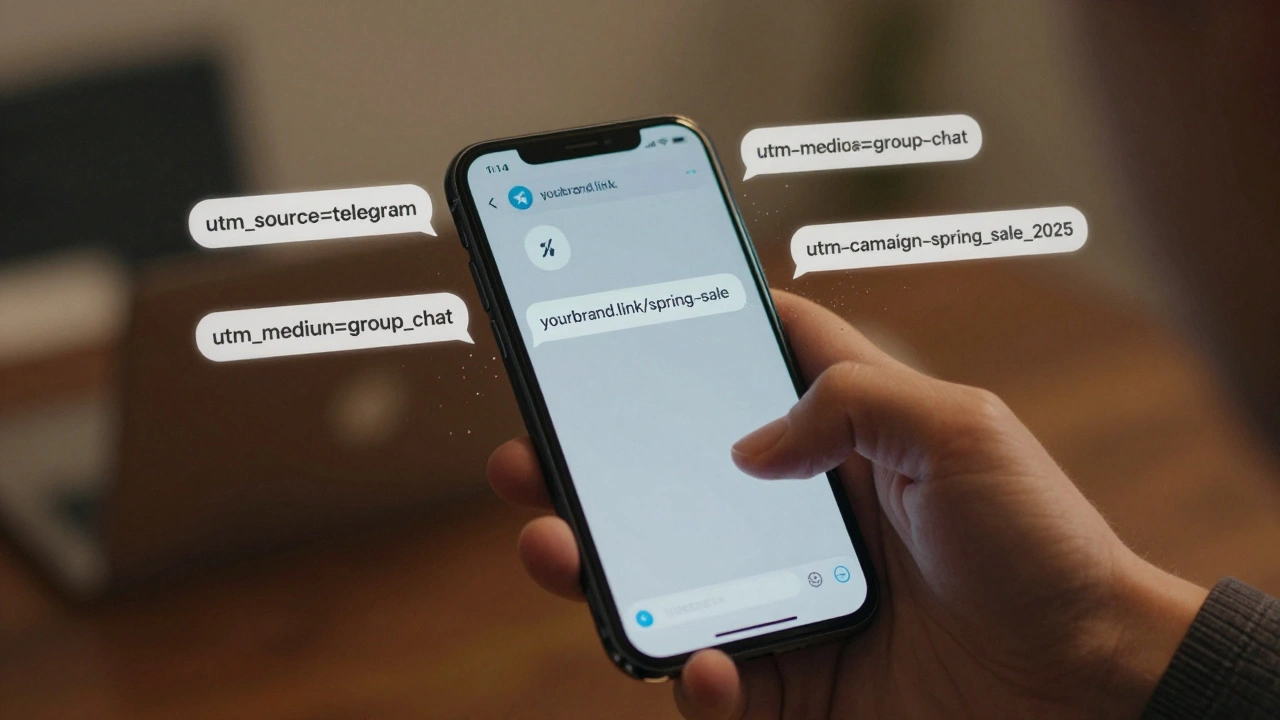
UTM parameters are simple tags you add to the end of a URL. They tell your analytics tool exactly where the traffic came from, what campaign it’s part of, and even which version of the link was clicked. For Telegram, you need three key parameters:- utm_source=telegram - This tells analytics the traffic came from Telegram.
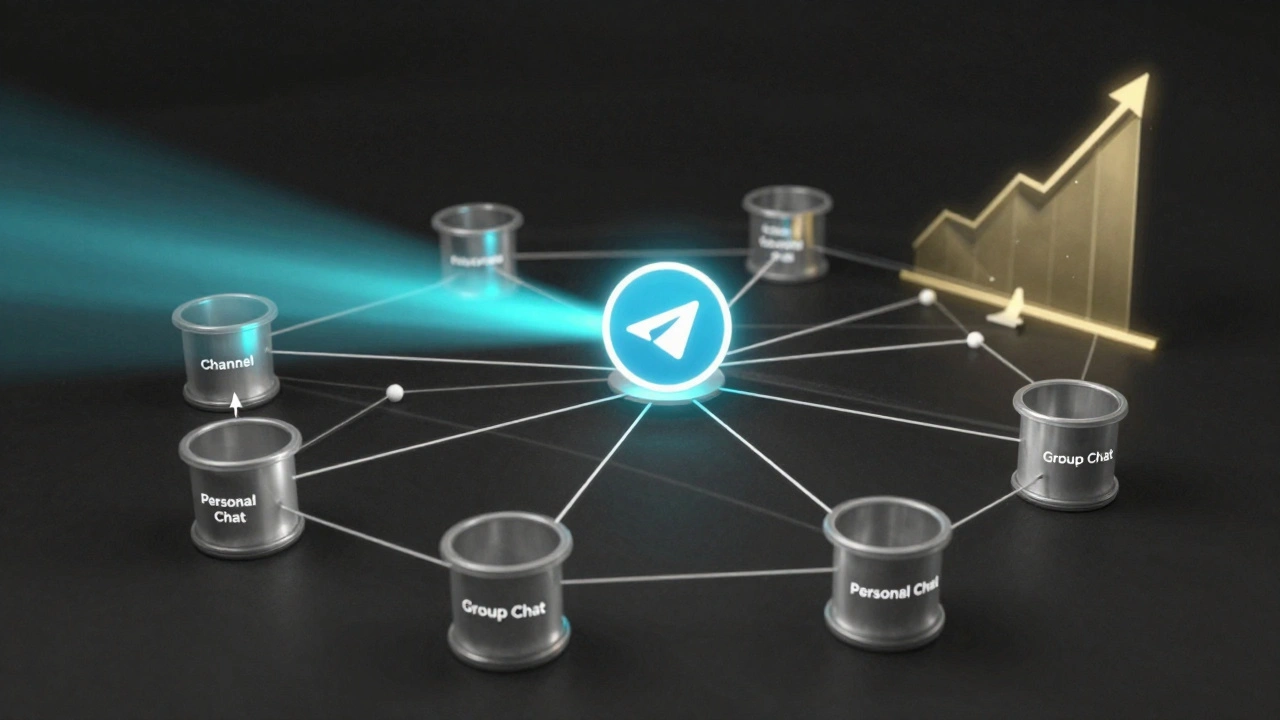
- utm_medium - This splits traffic by type: channel for official broadcasts, group_chat for community links, personal_chat for one-on-one messages.
- utm_campaign - Name your campaign: spring_sale_2025, newsletter_dec2025, webinar_launch.
Example: https://yourstore.com/sale?utm_source=telegram&utm_medium=channel&utm_campaign=spring_sale_2025
That’s it. That’s the whole system. Google Analytics reads these tags and sorts your traffic into neat buckets. You’ll see exactly how many people came from your Telegram channel versus your group chat. You’ll know which campaign got the most clicks. You’ll stop guessing.
But Telegram Cuts Long Links
Here’s the catch: Telegram has a 512-character limit per message. If your UTM-tagged URL is too long, it gets truncated. And when that happens, the tracking breaks. That’s why you need a URL shortener.Tools like Bitly, Rebrandly, or even Telegram’s own link shortener (via bots) help. But don’t just use any shortener. Use one that lets you customize the domain. For example: yourbrand.link/spring-sale looks professional, stays under the limit, and keeps your branding intact.
Pro tip: Keep your shortened URLs under 35 characters. That gives you room to add UTM tags without hitting Telegram’s limit. Test your links in the Telegram app before sending them. If the preview looks broken, your link is too long.
Set Up Google Analytics 4 for Telegram
You need Google Analytics 4 (GA4) for this. The old Universal Analytics is dead. GA4 is the only platform that lets you see UTM-tagged traffic clearly. Here’s how to make sure it works:- Go to your GA4 property and open Reports > Acquisition > Traffic Acquisition.
- Look for traffic labeled telegram under the Source/Medium column.
- If you don’t see it, check your UTM tags for typos. Case matters: Telegram ≠ telegram. One creates two separate entries.
- Set up goals for conversions: sign-ups, purchases, downloads. Then filter those goals by Source = telegram.
You’ll start seeing data like: “1,247 users came from Telegram channels in November. 237 of them completed a purchase. That’s a 19% conversion rate.” Now you know what’s working.
Tools That Make This Easier
You don’t have to do everything manually. Here are the top tools people use:- Google Analytics 4 - The only tool that gives you full cross-channel insight. Used by 68% of Telegram marketers.
- Bitly or Rebrandly - For clean, trackable short links. Bitly users report 15% higher click-through rates on Telegram links.
- TGStat - Tracks Telegram-native metrics: channel growth, member activity, message reach. But it doesn’t see outside conversions. Great for Telegram-only insights.
- Telemetree - A developer tool that tracks Telegram Stars revenue and bot interactions. Requires coding, but gives you the deepest data.
- Graspil - Specializes in bot analytics. Tracks 92% of bot-driven traffic accurately. Perfect if you run customer support bots.
Most businesses use GA4 + Bitly. That’s the sweet spot: full attribution without needing a dev team.
Common Mistakes (And How to Avoid Them)
People mess this up all the time. Here are the top three errors:- Using inconsistent naming - One campaign is spring_sale_2025, another is Spring Sale 2025. GA4 treats them as different. Always use lowercase, underscores, no spaces.
- Forgetting to regenerate links - Telegram caches links for 24 hours. If you change the UTM tags, the old cached version still shows up. Regenerate the link every time you update the campaign.
- Not testing before sending - Paste your link into Telegram and see how it looks. If the preview cuts off halfway, your link is too long.
Also, don’t use UTM parameters for organic growth. If someone shares your link from a group they’re in, that’s not a campaign. Tag only the links you intentionally send out.
Real Results: What This Actually Does
A company called TechGadgets started tagging their Telegram links in March 2024. Before: they had no idea if Telegram drove sales. After: they found that their group_chat links had a 27% conversion rate-twice as high as their channel posts. They shifted resources to community engagement. Within three months, Telegram-driven revenue jumped 39%. They didn’t spend more. They just started measuring.Another business, a SaaS startup, used UTM tags to discover that their bot was sending users to the wrong pricing page. They fixed the link. Sign-ups from Telegram went up 41%.
This isn’t theory. It’s what happens when you stop guessing and start tracking.
What’s Coming Next
Telegram is starting to catch up. In November 2024, they updated their bot API to track more user interactions. In October, TGStat launched a new module that connects directly to GA4. And according to insider reports, Telegram may launch native UTM support in early 2025. That could cut setup time by 70%.But until then? You still need to tag your links. The tools are here. The data is waiting. The only thing holding you back is not doing it.
Quick Checklist to Get Started
- ✅ Use
utm_source=telegramon every link - ✅ Set
utm_mediumto channel, group_chat, or personal_chat - ✅ Name campaigns with lowercase and underscores:
utm_campaign=dec2025_newsletter - ✅ Shorten links with Bitly or Rebrandly
- ✅ Keep URLs under 35 characters
- ✅ Test links in Telegram before sending
- ✅ Check GA4 under Acquisition > Traffic Acquisition
- ✅ Set up goals for conversions
- ✅ Regenerate links every 24 hours if you change parameters
Do this once. Then check your analytics every week. You’ll start seeing patterns. You’ll know which content converts. You’ll stop wasting time on channels that don’t work. That’s the power of tagging.
Do I need to pay for tools to tag Telegram traffic?
No. You can tag Telegram traffic for free using Google Analytics 4 and a free URL shortener like Bitly. Paid tools like TGStat or Telemetree offer extra features, but they’re not required to start tracking. The core method-UTM parameters-costs nothing.
Why does my Telegram traffic show up as ‘direct’ in Google Analytics?
This happens when UTM tags are missing, misspelled, or cut off by Telegram’s link preview system. Double-check your URL format. Make sure you’re using lowercase for all parameters. Also, regenerate the link if it’s older than 24 hours-Telegram caches links and ignores new tags.
Can I track conversions from Telegram if users don’t log in?
Yes. You don’t need users to log in. As long as they click your tagged link and complete a goal (like filling out a form or buying something), GA4 will attribute that conversion to Telegram. It tracks behavior, not identity.
Is Telegram traffic tagging GDPR compliant?
Yes, if you’re careful. UTM parameters don’t collect personal data-they just label traffic sources. But if your website collects personal info (like email addresses), you still need a consent banner and privacy policy. Many EU businesses add a consent checkbox before users submit forms from Telegram links.
How long does it take to set up Telegram traffic tagging?
About 2-3 hours for most people. You need to create UTM templates, set up a URL shortener, and check your analytics setup. If you’re using Google Tag Manager or have a developer, it can take less. If you’re new to analytics, plan for 5 hours to learn the basics.
What’s the difference between tagging a Telegram channel vs. a group chat?
Channel links are broadcast-everyone gets the same message. Group chat links are shared organically by members. Tag them differently: utm_medium=channel for official posts, utm_medium=group_chat for community shares. You’ll see that group chats often have higher conversion rates because they’re trusted referrals.
Next Steps
Start with one campaign. Pick a single link-maybe your latest newsletter or product launch. Tag it. Shorten it. Send it. Wait 48 hours. Check GA4. See the numbers. Then do it again. Once you see how much more you can learn, you’ll never go back to guessing.Telegram isn’t going away. It’s growing. And if you’re not tracking it, you’re leaving money on the table.
Latest Posts