Every morning, you open your phone. Your news app loads. Ads pop up. Headlines scream. You scroll past ten stories that don’t matter to you, just to find the one that does. Sound familiar? You’re not alone. This isn’t information overload-it’s filter failure. And the fix isn’t more apps. It’s smarter delivery.
Why Telegram Bots Are the New Newsroom
Telegram isn’t just for chatting. It’s becoming the quiet hub for personal news. Unlike apps that bombard you with everything, Telegram bots deliver exactly what you want-when you want it. No scrolling. No ads. No distractions. Just a clean, text-based briefing that fits into your day like a text from a friend.AI-powered Telegram news bots work by pulling stories from multiple sources-Google News, RSS feeds, specialized APIs-and then filtering them through smart rules. You tell the bot: "Only tech, startups, and AI." It learns. It remembers. It stops sending you the same story twice. And it sends it to you at 7:30 a.m., right before your coffee.
Traditional news apps force you to hunt. These bots bring the news to you. And they do it better than any human editor could-because they don’t get tired, don’t have biases, and don’t care about clicks.
How These Bots Actually Work
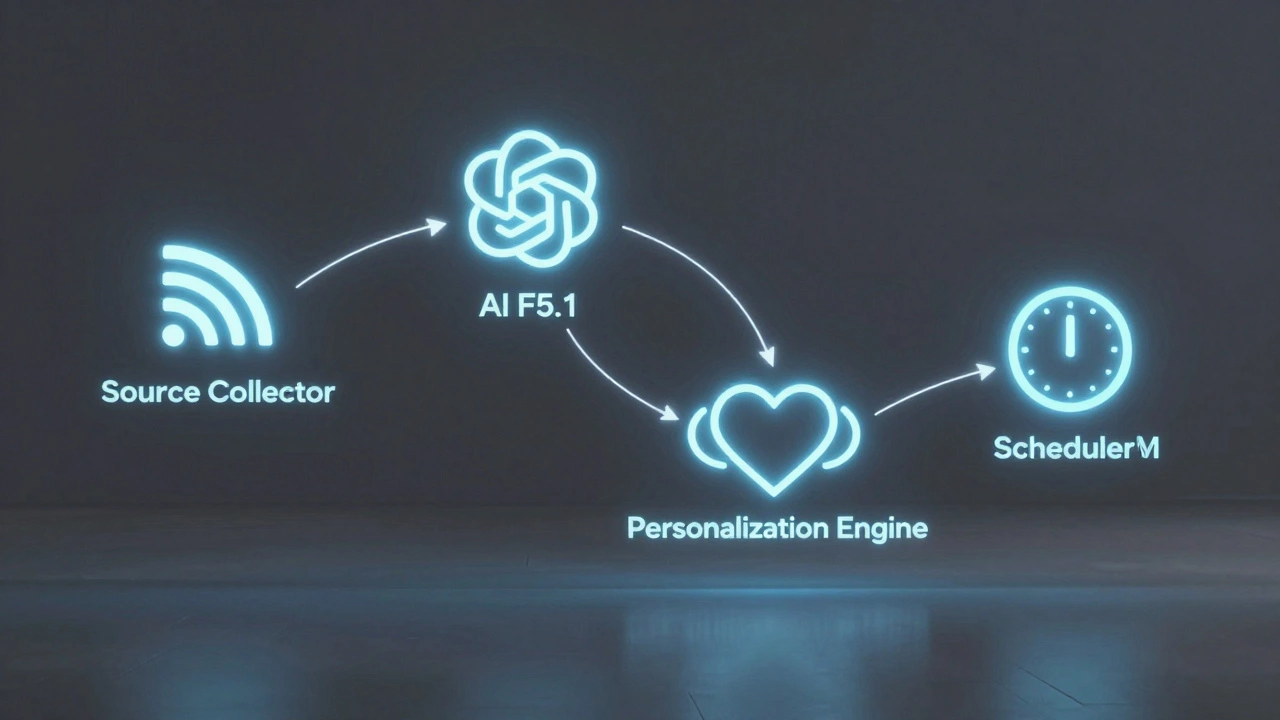
At its core, a personalized AI news bot is a tiny automated system with four parts:
- Source Collector: It grabs headlines from trusted feeds-BBC, Reuters, TechCrunch, or even your favorite Substack. Some use SerpAPI to scrape Google News directly, filtering only for articles published in the last hour.
- AI Filter: This is where the magic happens. Using models like GPT-5.1 or local tools like Ollama, the bot reads each article, summarizes it into two clear sentences, and checks if it matches your interests. It even cross-references with other sources to verify facts.
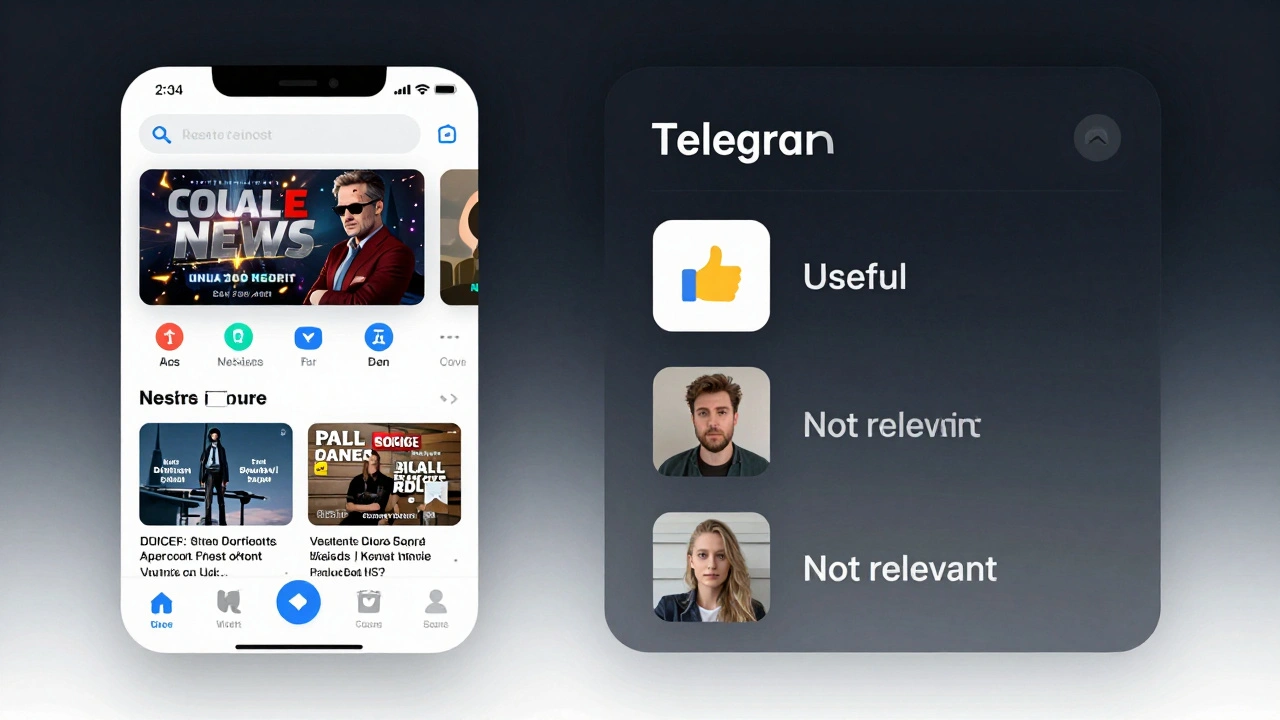
- Personalization Engine: You pick topics: "blockchain," "climate policy," "local Asheville events." The bot learns from your replies. If you tap "👍 Useful" on a story about AI startups, it starts sending more. Tap "👎 Not relevant," and it adjusts.
- Scheduler: You set the time. Twice a day? Once in the morning? The bot waits until then, then sends a clean, formatted digest. No rush. No noise.
Behind the scenes, it stores every story you’ve seen. That way, if a story pops up again from a different source, the bot skips it. No repetition. No spam. Just fresh, relevant updates.
What You Can Customize
These bots aren’t one-size-fits-all. You control every detail:
- Topics: Type in your interests: "electric vehicles," "FDA approvals," "local school board." You can add up to 10 categories. The bot doesn’t guess-you tell it.
- Language: Prefer Spanish? German? The bot can deliver summaries in any language, even if the original article is in English.
- Timing: Want updates at 6 a.m. and 6 p.m.? Change the schedule. No coding needed. Just tweak a setting in the bot’s menu.
- Sources: Add your favorite blogs, newsletters, or even RSS feeds from niche sites. The bot doesn’t just rely on big names. It listens to you.
One user set up a bot to track only real estate listings in Asheville. Every Friday, it sends a list of new homes under $400K with a one-sentence summary of each. No more hunting Zillow.
No Code? No Problem
You don’t need to be a developer. Platforms like n8n, Voiceflow, and BuildShip let you build these bots in under 15 minutes. Here’s how:
- Create a bot on Telegram using BotFather. You’ll get a token-keep it safe.
- Sign up for a free n8n account (it’s visual workflow software).
- Drag and drop nodes: "Get News from Google," "Summarize with AI," "Send to Telegram."
- Set your topics and time. Hit "Deploy."
That’s it. No Python. No API keys to memorize. The whole thing runs in the cloud. And if you want to upgrade later? You can add feedback buttons, email versions, or even connect it to your Google Calendar.
Why This Beats Your News App
Think about your favorite news app. It’s full of:
- Pop-up ads that block the article
- Push notifications for every breaking story (even if you don’t care)
- Recommendations based on what everyone else clicked
- Slow load times and heavy data use
Now think about your AI Telegram bot:
- No ads. Ever.
- Only what you asked for.
- Loads instantly-text messages are light.
- Learned from your behavior, not a corporate algorithm.
- Works offline. You can read it later.
It’s not just convenient. It’s respectful. It gives you back control.
Real Examples People Are Using
People aren’t just using these bots for tech news. Here’s what’s working:
- A teacher in Ohio gets a daily briefing on new education laws in her state.
- A small business owner in Texas tracks local supply chain delays and inflation reports.
- A retired engineer in Florida gets weekly updates on NASA missions-only the ones he’s interested in.
- A college student in Chicago filters news by major: "psychology," "student loans," "campus events."
Each one built their bot in under 20 minutes. Each one says it cut their daily news time by 80%.
How to Get Started
You don’t need to wait. Here’s how to begin today:
- Open Telegram. Search for "BotFather."
- Type
/newbot. Follow the steps. You’ll get a token. - Go to n8n.io and sign up for free.
- Search the template library for "AI News Digest." Import it.
- Replace the default topics with your own. Set your time.
- Enter your Telegram bot token and chat ID.
- Click "Deploy."
Within minutes, your first briefing will land in your Telegram chat. Test it. Reply "👍" to a story. Watch how the next one gets better.
What’s Next?
These bots are getting smarter. Soon, they’ll:
- Remember your mood. If you’ve had a rough week, they’ll skip heavy political news.
- Compare headlines across sources to flag bias or misinformation.
- Let you ask questions: "What happened with the Fed meeting?" and get a 30-second summary.
- Send voice summaries if you’re driving or cooking.
But the core idea won’t change: News should serve you, not the other way around.
Can I use this if I’m not tech-savvy?
Yes. Platforms like n8n and Voiceflow let you build these bots with drag-and-drop tools. No coding required. You just pick your topics, set your time, and connect your Telegram account. Most people get their first bot running in under 15 minutes.
Is my data safe with these bots?
It depends. If you use a cloud service like n8n or OpenAI, your data goes to their servers. But you can also run the bot locally using Ollama on your own computer-no data leaves your device. For privacy-focused users, local AI tools are the safest option.
Can I add my own blog or newsletter as a source?
Absolutely. If your blog has an RSS feed (most do), you can add it as a source. The bot will check it daily and include new posts in your digest. This is great for niche topics that big news sites ignore.
How often do these bots send updates?
You control this. Most people set it for once or twice a day-like 7 a.m. and 5 p.m. But you can set it for weekly, daily, or even hourly. The bot will respect your limits. It won’t send more than you allow.
What if I miss a briefing? Can I ask for it later?
Yes. Many bots include a simple command like "Show me yesterday’s news" or "What did I miss?" The bot pulls up the last digest and sends it again. No need to hunt through emails or apps.
Are there free options?
Yes. n8n has a free plan that lets you run one workflow. Telegram and SerpAPI also offer free tiers. You can build a fully functional bot for $0. It’s only when you want more sources, faster processing, or higher volume that you might pay $5-10/month.
What to Try Next
Start small. Pick one topic you care about-maybe local weather, your favorite sports team, or new tech tools. Build a bot for that. See how it feels to get news that’s actually useful. Then expand.
Once it’s running, ask yourself: "What else should I know?" That’s where the real power lies. Not in the technology-but in reclaiming your attention.