Imagine spending two hours a day scrolling through 20 Telegram channels, trying to find the one useful article buried under memes, spam, and promotional posts. Now imagine cutting that down to 20 minutes - without missing a single important update. That’s what Junction Bot does for people who rely on Telegram for news, research, or content creation.
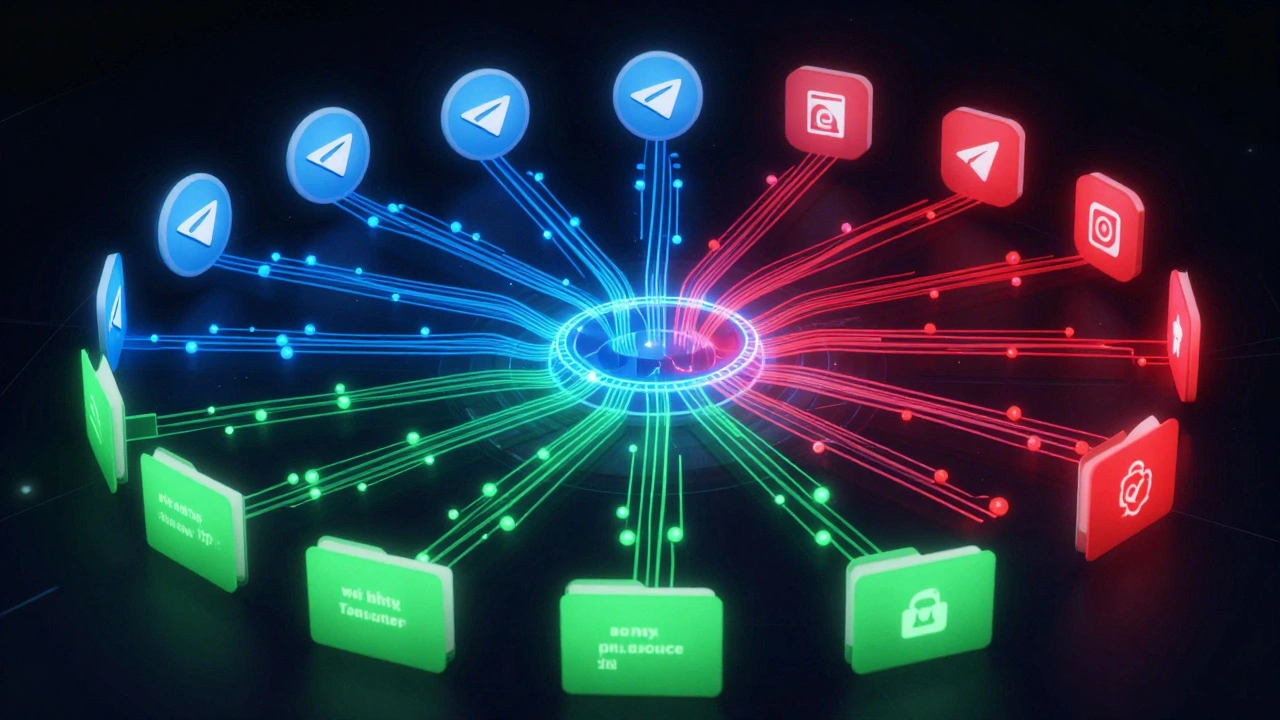
Junction Bot isn’t just another forwarding tool. It’s an AI-powered system built specifically to clean up the chaos of Telegram feeds. While native Telegram forwarding lets you copy messages manually, it doesn’t filter, rewrite, or organize. Junction Bot does. It pulls content from dozens of channels, strips out the noise, applies smart rules, and delivers only what matters - straight to your curated folders.
How Junction Bot Actually Works
At its core, Junction Bot connects to your Telegram account and watches channels you tell it to. You don’t need to install anything. Just open Telegram, type @junction_bot in any chat, and start with /start. From there, you use simple commands to set up sources and filters.
Let’s say you follow five tech news channels. Each one posts 10-20 messages a day. Most are about product launches, press releases, or vague announcements. You only care about updates on AI tools, open-source releases, and developer interviews. With Junction Bot, you type:
/filter @techchannel1 AI open-source/filter @techchannel2 interview/folder create AI News/forward AI News
Now, every message from those channels that contains “AI” or “open-source” or “interview” gets forwarded automatically to a folder called “AI News.” Everything else? Ignored. No more scrolling. No more copy-pasting.
The bot doesn’t just copy. It processes. Using GPT models, it can shorten long articles, rewrite tone for different audiences (e.g., turn technical jargon into plain language), add watermarks to images, or even translate content on the fly. One user, a marketing manager in Berlin, uses it to turn English tech news into simplified German summaries for her team’s internal newsletter - all without touching a keyboard.
Best Practices for Setting Up Your Curation Workflow
Getting started is easy. Mastering it takes strategy. Here’s how top users structure their workflows:
1. Start Small - One Folder, One Goal
Don’t try to automate everything at once. Pick one area: crypto updates, local news, competitor announcements, or research papers. Set up one filter. Test it for 3 days. See what gets through. Adjust keywords. Delete false positives. Only then move to the next folder.
Example: A freelance journalist in Toronto uses Junction Bot to track only articles mentioning “Canadian AI policy” across 12 government and media channels. She filters out anything with “conference” or “webinar” - those are noise for her beat.
2. Use Precise Targeting for Multiple Destinations
Junction Bot’s standout feature is “precise targeting.” You can take the same source - say, a popular tech blog - and send different parts of it to different folders based on keywords.
For example:
- Messages with “OpenAI” → go to “AI Research” folder
- Messages with “privacy” → go to “Policy Watch” folder
- Messages with “launch” → go to “Product Alerts” folder
Each folder has its own filter rules. You’re not just forwarding - you’re sorting by topic, intent, and audience.
3. Control Frequency - Don’t Get Flooded
Some channels post every 15 minutes. If you forward everything, your folder becomes a firehose. Use the /frequency command to slow it down.
Try:
/frequency 2- forward only every second message/frequency 5- forward only every fifth message/frequency daily- send a daily digest instead of real-time
This is critical for avoiding burnout. One user in Austin reduced his daily forwarded messages from 87 to 12 by setting a daily digest for his “Startup News” folder.
4. Clean Filters Regularly
Filters get messy. Keywords change. Channels shift focus. Use /filterall DELETE ALL to wipe your current rules and rebuild from scratch. It’s not a reset button - it’s a reset tool. Top users do this every 2-3 weeks.
Why? Because if you don’t, you start getting irrelevant results. A filter set for “blockchain” in January might now be pulling in crypto scams by December. Clean it up.
5. Use AI Rewriting Wisely
The GPT integration is powerful - but dangerous if used blindly. Don’t let it rewrite news headlines. It might turn “Federal Reserve raises rates” into “Fed hikes borrowing costs - economy in trouble?” That’s not curation. That’s distortion.
Use rewriting only for:
- Summarizing long posts into 2-3 lines
- Translating non-English content
- Adapting tone for internal teams (e.g., turning technical reports into executive briefs)
Always review AI-edited content before sharing. The bot doesn’t understand context - you do.
What Junction Bot Can’t Do (And What to Use Instead)
Junction Bot is a specialist, not a generalist. It excels in Telegram-only workflows. But if you need more, you’ll need other tools.
What it does well:
- Aggregating Telegram channels into themed folders
- Filtering by keywords, media type, sender, or attachment
- AI rewriting and summarizing within Telegram
- Bypassing copy restrictions on protected channels
- Forwarding video notes, animated stickers, and formatted captions
What it can’t do:
- Track news from Twitter, Reddit, or RSS feeds
- Integrate with Google Docs, Notion, or email
- Generate reports or analytics
- Work outside Telegram
If you need cross-platform curation - say, pulling from Twitter, Medium, and YouTube - use Feedly or Inoreader. If you want to automate publishing to WordPress or Substack, try Zapier or Make.com. Junction Bot fills a very specific gap: turning Telegram chaos into clean, actionable streams.
Who Uses It - And Why
According to user data from December 2025, 68% of Junction Bot users are businesses or organizations. Here’s who benefits most:
- Content creators - Automate sourcing for blogs, newsletters, or YouTube scripts. One YouTuber in Poland uses it to find 3-5 video ideas daily from 15 tech channels.
- Researchers - Track academic papers, policy updates, or industry reports without manually checking 10+ channels.
- Marketing teams - Monitor competitor announcements, product launches, or customer complaints in real time.
- Journalists - Build beat-specific feeds: “AI Regulation,” “Crypto Scams,” “Local Government Decisions.”
- Community admins - Curate content for private groups without manual moderation.
One agency in Austin used Junction Bot to automate their client’s monthly industry digest. Before: 8 hours of manual clipping. After: 15 minutes of review. They now deliver the same report to 12 clients - and charge 30% more for it.
Limitations and Risks
No tool is perfect. Junction Bot has a few blind spots.
Learning curve: Setting up precise targeting or regex filters takes time. Beginners often get overwhelmed. The documentation is solid, but it assumes you already know how Telegram folders work.
AI over-editing: As noted by users on Reddit, the bot sometimes rewrites too aggressively. A headline like “New Study Shows AI Can Predict Stock Trends” might become “AI Now Knows What Stocks Will Do Next.” That’s not helpful - it’s misleading.
Telegram dependency: If Telegram changes its API - which it has done before - Junction Bot might break. It’s a third-party tool on someone else’s platform. That’s always a risk.
No analytics: You can’t see which channels perform best, which filters catch the most clicks, or how many users engage with your curated feeds. You’re flying blind on impact.

What’s Next for Junction Bot
The development team is active. Updates come weekly. The roadmap includes:
- Multi-platform integration (Q1 2026) - connecting to RSS, Twitter, and email
- Better AI summarization (Q2 2026) - extracting key points, not just rewriting
- Team collaboration features (Q3 2026) - shared folders, approval workflows
They’re also testing “Self-Updating AI Experts” - bots that learn from your curated feeds and start suggesting new sources or topics based on your behavior. Think of it as a personal news assistant that gets smarter the longer you use it.
Right now, Junction Bot is the most powerful tool for Telegram-based curation. It’s not for everyone. But if you live in Telegram - if your work, research, or content depends on it - this is the only bot that turns noise into clarity.
Getting Started in 5 Minutes
Here’s your quick setup:
- Open Telegram and search for
@junction_bot - Type
/start - Type
/filter @yourchannel keyword1 keyword2 - Type
/folder create MyFeed - Type
/forward MyFeed
That’s it. You’ve automated your first feed. Now go back to your day - and let the bot do the scrolling.
Is Junction Bot free to use?
Junction Bot offers a freemium model. Basic filtering and forwarding work for free, but advanced features like AI rewriting, folder forwarding across multiple sources, and custom frequency rules require a paid plan. Pricing isn’t listed publicly, but users report affordable monthly tiers starting around $5-$10 for professional use.
Can Junction Bot forward messages from private or restricted channels?
Yes. Junction Bot can bypass Telegram’s copy restrictions on protected channels using eight documented methods. You must be a member of the channel, and the bot must have access to it. It can forward messages, media, and even video notes from channels that normally block copying - a major advantage over native Telegram tools.
Does Junction Bot work on iOS and Android?
Yes. Since Junction Bot operates entirely within Telegram, it works on any device with the Telegram app installed - iOS, Android, desktop, or web. You manage everything through the Telegram interface. No separate app is needed.
How often does Junction Bot check for new messages?
The bot checks for new messages every 15-30 seconds. This is fast enough for real-time curation but avoids hitting Telegram’s API rate limits. If you set a daily digest, it will process and send all queued content once per day, usually in the morning.
Can I use Junction Bot to create a newsletter?
Not directly. Junction Bot forwards content within Telegram. But you can use it to curate your source material, then copy the filtered messages into your newsletter tool (like Substack or Beehiiv). Many users do exactly this - Junction Bot handles the sourcing, and you handle the publishing.
What happens if Telegram changes its API?
Junction Bot could stop working temporarily. Since it relies on Telegram’s API, any major update from Telegram could break functionality. However, the development team has a history of rapid fixes - most issues are resolved within 48 hours. Users are notified via the official @junction_bot_news channel.
Is there a limit to how many channels I can monitor?
There’s no hard limit. Users report managing 50+ channels successfully. Performance depends on your filter complexity and message volume. If you’re filtering 100+ messages per hour, you may experience slight delays. For heavy users, the paid plan includes higher processing priority.