Imagine this: You spend hours writing a killer blog post. It goes live on your website at exactly 9:00 AM. But your Telegram channel? Silence. Or worse, someone remembers to paste the link three days later when the traffic spike is long gone. This disconnect happens constantly because most teams treat their website and their messaging apps as separate worlds.
The solution isn't just "posting more." It's about synchronization. An editorial calendar that syncs Telegram with web publishing acts as the single source of truth for your content lifecycle. It ensures that when an article lands on your site, the corresponding message hits your Telegram audience at the precise moment it matters most. This approach eliminates manual copy-pasting, prevents broken links, and keeps your community engaged without burning out your team.
The Core Problem: Fragmented Content Workflows
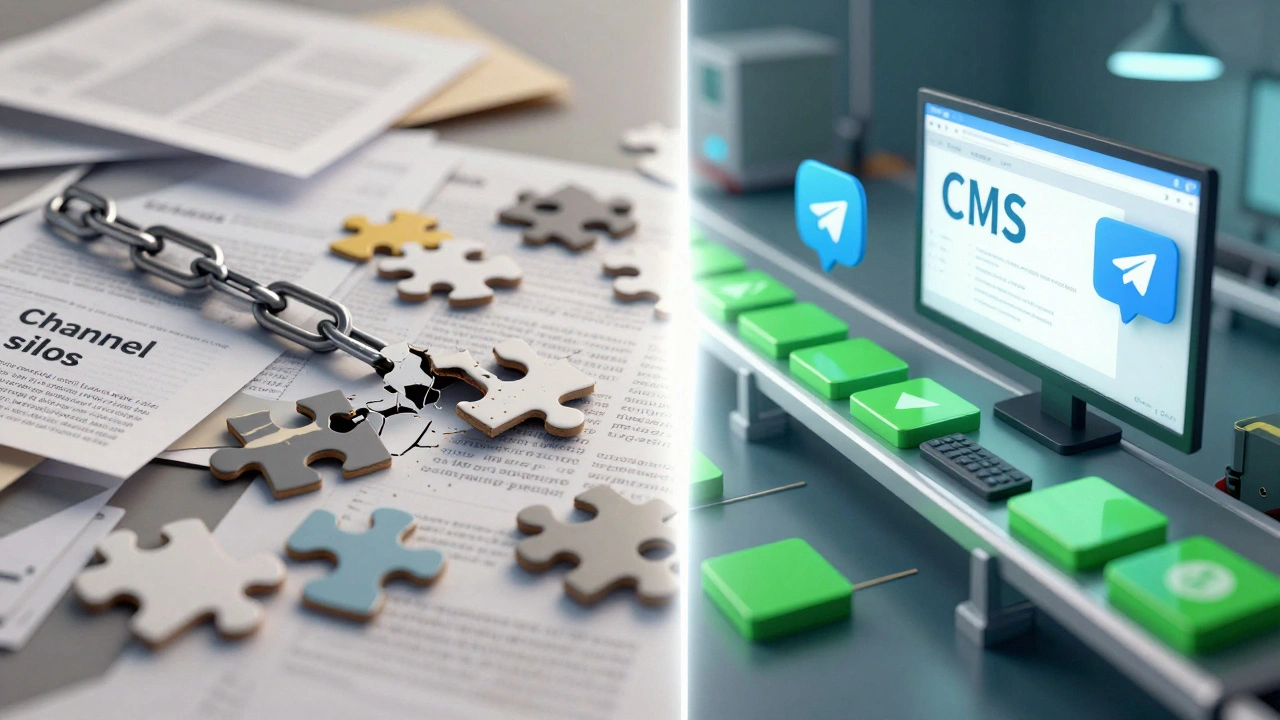
Most content operations suffer from what experts call "channel silos." Your writers work in Google Docs or WordPress. Your social media manager works in Sprout Social or Hootsuite. Your community manager lives in Telegram. None of these tools talk to each other natively.
When you rely on manual coordination, errors are inevitable. A common scenario looks like this:
- The web article gets rescheduled due to a breaking news update.
- The editorial calendar updates the web date.
- The Telegram bot, triggered by the old RSS feed schedule, posts the link anyway.
- Users click a link to a "Coming Soon" page or a draft version.
This breaks trust. Users expect consistency. If your Telegram channel promises value, delivering broken experiences erodes engagement faster than silence does. The goal is to create a unified system where the editorial calendar dictates the timing for both the web CMS and the Telegram Bot API simultaneously.
Three Architectures for Syncing Telegram and Web
There is no single "best" tool. Instead, there are three proven architectural patterns for connecting your web publishing with Telegram. Each has trade-offs regarding cost, complexity, and control.
1. The CMS-Centric Approach (WordPress + Plugins)
If your website runs on WordPressthe world's most popular open-source content management system, you can keep everything inside the dashboard. Plugins like Nelio Content or the free WordPress Editorial Calendar allow you to visualize your publishing timeline.
To add Telegram, you need a bridge. Many social auto-posting plugins support major networks but ignore Telegram. Here, you often need a secondary plugin or custom code that hooks into the "publish_post" event. When the status changes to "Published," the script triggers a request to the Telegram Bot APIan interface allowing developers to build bots that interact with users and channels.
Pros: Tight integration with your existing CMS; easy for editors who already know WordPress.
Cons: Limited flexibility if you change platforms; Telegram is rarely a first-class citizen in these plugins, requiring technical tweaks.
2. The Centralized Operations Platform (Opal, Airtable)
Platforms like Opala content operations platform designed for planning and collaboration or Airtablea low-code platform for building collaborative applications serve as the "brain." They don't host your website, but they manage the metadata. You define fields for "Web Publish Date" and "Telegram Publish Date" separately.
In this model, the calendar tracks the asset. Integrations push the final URL to the CMS and send the formatted message to Telegram via automation services like Zapier or Make.com. This is powerful because you can handle complex workflows-like approving a headline in Opal before it ever touches the web or Telegram.
Pros: High visibility across all channels; excellent for large teams; clear ownership.
Cons: Higher learning curve; requires maintaining external automations; potential latency between the calendar and the actual post.
3. The Automation-First Layer (RSS + Bots)
This is the lightweight, DIY route. You use a standard tool like Google Calendara time-management and scheduling service developed by Google or Trello for planning. Then, you set up a simple rule: "When a new post appears in my WordPress RSS feed, send a message to my Telegram channel."
Tools mentioned in guides by BrandGhost highlight that this method is prone to errors if not configured carefully. It lacks the nuance of an editorial calendar-it doesn't know *why* something was published, only *that* it was published.
Pros: Cheap; fast to set up; minimal maintenance.
Cons: No strategic control; risk of spamming your audience with every minor update; difficult to schedule specific Telegram-only teasers.
| Feature | CMS-Centric | Ops Platform (Opal/Airtable) | Automation-First (RSS/Bot) |
|---|---|---|---|
| Setup Complexity | Medium | High | Low |
| Control Over Timing | High | Very High | Low |
| Cost | Low-Medium | Medium-High | Low |
| Scalability | Medium | High | Low |
| Best For | Small blogs, solo creators | Marketing teams, newsrooms | Simple newsletters, hobbyists |
Designing the Schema: Fields That Matter
A calendar is only as good as its data structure. If you want to sync effectively, you cannot rely on a single "Publish Date" field. You need distinct attributes for each channel.
Based on best practices from Airtable and Opal, here are the essential fields for your editorial calendar:
- Asset ID: A unique identifier linking the web post and the Telegram message.
- Headline: The title used on the web (often longer) and the hook used in Telegram (shorter, punchier).
- Web Publish DateTime: The exact second the CMS makes the page live.
- Telegram Publish DateTime: The scheduled time for the bot to post. This might be identical to the web time, or staggered (e.g., web at 9 AM, Telegram teaser at 8:55 AM).
- Status: Track stages like "Draft," "Editing," "Approved," "Scheduled," and "Live." Crucially, have sub-statuses per channel (e.g., "Web Live / Telegram Pending").
- Owner: Who is responsible for the final approval?
- Telegram Text Body: Store the pre-written message here. Do not let the bot scrape the web summary automatically unless you have perfect formatting control. Manual curation prevents truncation issues on mobile devices.
By separating the text bodies and dates, you gain the ability to A/B test messaging. Maybe the web headline is formal, but the Telegram audience prefers emojis and questions. Your calendar supports this diversity without confusion.
Technical Implementation: Connecting the Dots
Let's walk through a practical setup using a hybrid approach: Airtable as the calendar, WordPress as the CMS, and a custom Telegram Bot for delivery.
Step 1: Create the Telegram Bot
You need a bot to act as the messenger. Use BotFather on Telegram to create a new bot. It will give you a token. Keep this secret. This token allows external systems to speak on behalf of your bot.
Step 2: Configure the Automation Trigger
Use a service like Make.coman automation platform formerly known as Integromat or Zapier. Set up a watch on your Airtable base. The trigger should be: "When 'Status' changes to 'Ready for Telegram'."
Alternatively, if you prefer the CMS-centric route, trigger the automation when a WordPress post status changes to "Published." However, the Airtable method gives you more control over the *timing* of the Telegram post versus the web post.
Step 3: Format and Send
In your automation step, map the "Telegram Text Body" field from your calendar to the message content. Include the "Web URL" field as a button or inline link. Send this payload to the Telegram Bot API endpoint (`sendMessage`).
Crucially, use the `schedule_message` parameter if available in your tool, or rely on the automation platform's delay feature to match the "Telegram Publish DateTime" defined in your calendar. This ensures that even if the web post goes live early, the Telegram notification waits for the optimal engagement window.

Pitfalls to Avoid
Even with a solid plan, things can break. Here are the most common failure points reported by practitioners:
- Time Zone Mismatches: Your server might be in UTC, your editor in New York, and your audience in London. Always store datetimes in ISO 8601 format (UTC) in your database and convert them locally for display. A one-hour error means posting to an empty room.
- Rate Limiting: Telegram imposes limits on how many messages a bot can send per second. If you have a high-volume newsroom, batch your posts or stagger them slightly to avoid temporary bans.
- Broken Links from Rescheduling: If you move a web article from Monday to Tuesday, ensure your automation cancels the original Telegram job and creates a new one. "Fire-and-forget" scripts often miss this cancellation, leading to premature announcements.
- Truncation: Telegram displays previews differently than browsers. Test your messages on both iOS and Android. Long paragraphs look terrible on small screens. Keep Telegram messages under 400 characters for maximum readability.
Why This Matters for Growth
Synchronization is not just about convenience; it's about conversion. When your web content and Telegram presence are aligned, you create a cohesive brand experience. Users see a teaser in Telegram, click through to a fresh, fully loaded web page, and engage immediately.
Studies on content distribution show that cross-channel reinforcement increases recall and click-through rates. By treating Telegram not as an afterthought but as a primary distribution node integrated into your editorial calendar, you respect your audience's attention span and maximize the ROI of every piece of content you produce.
Can I sync Telegram with web publishing without coding?
Yes. Platforms like Make.com or Zapier offer pre-built integrations for WordPress, Airtable, and Telegram. You can connect these services visually. However, complex logic like conditional formatting or advanced scheduling may require some configuration effort.
What is the best editorial calendar tool for this purpose?
It depends on your team size. For solo creators, WordPress plugins like Nelio Content are sufficient. For larger teams, Opal or Airtable provide better collaboration features and clearer visibility across multiple channels, including Telegram.
How do I handle time zones in my editorial calendar?
Always store all publish dates in Coordinated Universal Time (UTC) within your database or spreadsheet. Then, configure your automation tools or calendar views to display times in the local time zone of your target audience or your team members.
Should I post the full article text to Telegram?
Generally, no. Telegram users prefer concise updates. Post a compelling hook, key takeaways, and a link to the full article on your website. This drives traffic to your domain while keeping the Telegram chat clean and readable.
What happens if my Telegram bot fails to post?
Set up error logging in your automation platform. Most tools allow you to send a notification to a private admin channel if a step fails. Regularly check these logs to ensure your bot token hasn't expired and that rate limits haven't been hit.