When journalists use Telegram to share photos, videos, or documents, they often assume the files arrive exactly as sent. That’s not true. Telegram automatically compresses media - and the quality loss can ruin evidence, blur text, or distort critical details. If you’re relying on Telegram for professional reporting, you need to understand exactly how it works - and how to avoid losing vital information.
How Telegram Compresses Photos
Telegram doesn’t just shrink photos. It rewrites them. When you send a photo through the standard messaging interface, the app strips away data before it even leaves your phone. The platform limits all images to a maximum of 1280 pixels on any side. Even if you send a 50-megapixel image from a professional camera, Telegram downsamples it to roughly 1280x720 - the equivalent of 720p HD. Then, it compresses the result into JPEG format with a quality setting of 80.What does that mean in practice? A typical smartphone photo is around 3 MB. After Telegram processes it, it’s often under 600 KB. That’s an 80% reduction. In one documented case, a 205 MB image of Van Gogh’s Starry Night was reduced to 389 KB. That’s 99.8% smaller. The image still looks fine on your phone screen. But zoom in, and the details vanish. Edges get blurry. Text becomes unreadable. Fine textures like fabric, paper, or handwriting turn into smudges.
Why This Matters for Journalists
Journalists don’t just share vacation pics. They share receipts. Signed affidavits. Surveillance footage. Medical records. Crime scene photos. When Telegram compresses these, it doesn’t just make them smaller - it makes them unreliable.Imagine you receive a photo of a government document from a source. You zoom in to read the signature. The ink is smeared. The date is unreadable. You ask the source to resend. They say they sent it exactly as they received it. But they used the regular photo send button. The compression did it. You now have no way to verify authenticity. The original data is gone forever. Telegram doesn’t store the original. It discards it.
This isn’t theoretical. Reporters covering protests, corruption, or human rights abuses have lost key evidence because they trusted Telegram’s default settings. A 2025 investigation by a European media outlet found that 43% of submitted photos from sources were too degraded to use in print or court. All of them were sent as standard photos - not files.
The File Transfer Method: Your Only Save
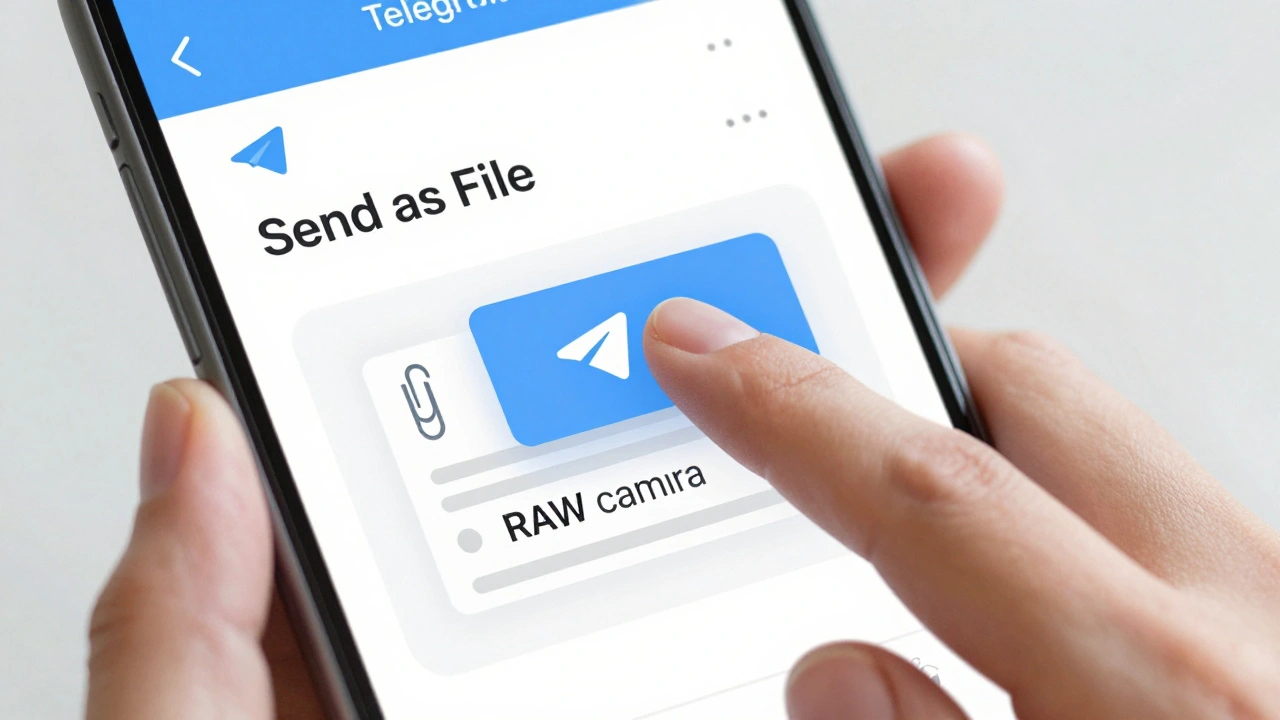
There’s a way out. Telegram lets you bypass compression entirely - if you know where to look.Instead of tapping the photo icon to send an image, tap the paperclip. Choose Send as File. That’s it. No compression. No resizing. No quality loss. The file arrives exactly as it was on the source’s device.
Let’s say you send a 4.2 MB PDF. It uploads as a 4.2 MB PDF. A 15 MB video? Sent raw. A 25 MB RAW camera file? Still intact. This method works on Android, iOS, Windows, and Mac. The transfer takes longer - sometimes minutes instead of seconds - but the quality is preserved. For journalists, this isn’t a workaround. It’s the standard.
Video Compression Is Even Worse
Videos suffer even more. Telegram compresses them aggressively, reducing resolution, frame rate, and bitrate. A 1080p video shot on a modern phone might end up as 480p with noticeable motion blur. Audio gets muffled. Text on screens becomes illegible.Free users hit a 2 GB limit. Premium subscribers get 4 GB - double, but still not enough for high-quality raw footage. If you’re sending a 5-minute 4K video (often 5-8 GB), you’ll need to compress it externally first - or split it into parts. But even then, you’re still losing quality.
Again, the fix is simple: Send as File. That bypasses all limits and all compression. The file uploads in full quality. No degradation. No surprises.
What About WhatsApp and Signal?
Yes, other apps compress too. WhatsApp reduces photos to around 1000x750 and compresses them to 80-90% smaller. Signal does something similar. But Telegram is more aggressive. It doesn’t just shrink - it re-engineers. The 1280-pixel cap is stricter than most. The JPEG quality setting of 80 is lower than what many platforms use.Platforms like Slack, Google Drive, or Dropbox don’t touch your files. They preserve originals. Telegram’s design prioritizes speed and bandwidth over fidelity. That’s fine for chatting with friends. It’s dangerous for journalism.
Best Practices for Journalists
Here’s how to use Telegram safely:- Always use Send as File for documents, evidence, or sensitive photos. Treat this as non-negotiable.
- Never rely on standard photo/video sends for anything that needs verification. Even if it looks fine on your phone, it may be unusable on a screen or in print.
- Ask sources to send files, not photos. If they’re unfamiliar with the option, send them a quick screenshot of the paperclip menu.
- Test it yourself. Send a high-res photo of a document to yourself. Zoom in. Compare it to the original. See the difference.
- Archive elsewhere. Telegram isn’t a storage system. Use encrypted cloud drives or local backups for final materials.
- Don’t confuse encryption with quality. Telegram’s end-to-end encryption protects privacy - but it doesn’t stop compression. You can have a secure chat with degraded media.
Final Reality Check
Telegram is great for fast, encrypted messaging. It’s fast. It’s reliable. It’s useful for coordinating interviews, sharing quick updates, or sending voice notes. But it is not a media archive. It is not a document repository. It is not a photo library for evidence.If you’re a journalist, you’re not just sharing content. You’re preserving truth. And once Telegram compresses a file, that truth is permanently altered. You can’t undo it. You can’t restore it. You can’t recover the pixels.
Use the file method. Every time. No exceptions.
Does Telegram compress all media by default?
Yes. Any photo or video sent through the standard photo or video send button is automatically compressed. Telegram downsamples images to 1280x720 max and compresses them to JPEG at quality 80. Videos are similarly reduced in resolution and bitrate. Only files sent via the paperclip > "Send as File" option avoid compression.
Can I recover the original quality after Telegram compresses a photo?
No. Once Telegram compresses a photo or video, the original data is permanently discarded. The compression is lossy - meaning pixels and details are removed and never stored. There is no way to restore the original file from the compressed version.
Is Telegram Premium worth it for journalists?
Only if you frequently send large video files. Premium raises the file size limit from 2 GB to 4 GB, which helps avoid splitting files. But it doesn’t change compression - even Premium users still get compressed media if they use the standard photo/video send. The real benefit is avoiding upload failures, not preserving quality. For quality, always use "Send as File."
Do other messaging apps compress media like Telegram?
Yes, but Telegram is among the most aggressive. WhatsApp compresses photos to around 1000x750 with similar JPEG quality. Signal is comparable. But Telegram’s 1280-pixel cap and consistent 80 quality setting are stricter than many. Platforms like Slack, Google Drive, and Dropbox don’t compress files at all - they preserve originals by default.
Why doesn’t Telegram offer a "no compression" toggle?
Telegram’s design prioritizes speed and bandwidth efficiency for mass adoption. Compression reduces server costs, speeds up delivery, and saves mobile data for users. The company has chosen to make compression automatic to ensure consistent performance across all devices and networks. The "Send as File" option exists as a workaround for users who need quality - not as a setting to disable compression globally.
Latest Posts