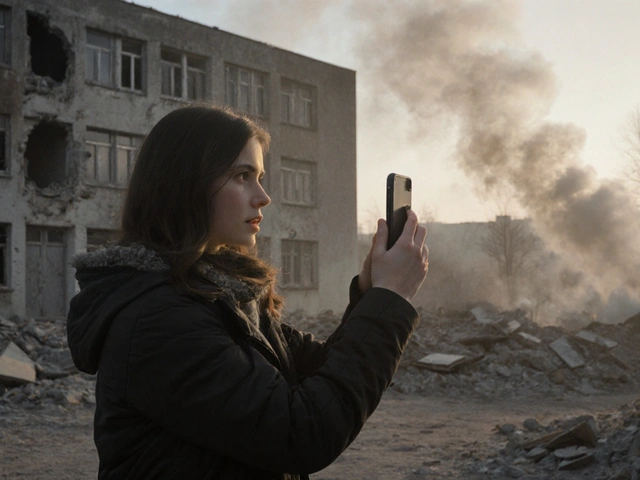
Reporting news alone is hard. You don’t have a camera crew, an editor, or a big budget. But you do have a smartphone and Telegram, a messaging platform with over 700 million monthly active users that allows unlimited channel subscribers and large file uploads. The challenge isn’t just getting the story out; it’s making people care enough to stop scrolling. That is where visual storytelling comes in.
Visual storytelling isn’t just about posting pretty pictures. It is a method of combining images, video, text, and audio to create an emotional connection. For solo reporters, this technique turns raw footage into compelling narratives that build trust and keep your audience engaged. In this guide, we will break down exactly how to use these techniques on Telegram to make your reporting stand out.
Why Visuals Matter More Than Words on Telegram
Social media users have short attention spans. Research shows that emotionally resonant content gets 8.5 times more engagement than dry facts. On Telegram, unlike Instagram or TikTok, there is no algorithm forcing your content onto strangers’ feeds. Your audience has chosen to subscribe to you. This means they expect quality and clarity every time you post.
If you send a wall of text, people might skim it. If you send a powerful image sequence or a short, well-edited video, they watch. Visuals bypass the brain’s skepticism and go straight to emotion. Joy, surprise, anger-these feelings make stories memorable. They also make them shareable. When a subscriber forwards your post to a friend, they are endorsing your credibility.
To succeed, you need to treat your visuals as the main character of your story, not just decoration. Let’s look at seven specific techniques you can start using today.
The Hero’s Journey Arc
This technique maps an emotional journey onto your visuals. Think of it like a movie trailer. You start with a problem, show the struggle, and end with a resolution or a dramatic reveal.
- Establish the Problem: Start with a 1-2 second clip or photo that clearly shows the issue. Is it a flooded street? A crowded protest? A broken infrastructure project?
- Show the Struggle: Rapidly cut through clips that show the effort involved. People digging, arguing, working, or waiting.
- The Reveal: End with a longer, impactful shot of the result. Maybe the water recedes, the crowd disperses, or the repair is finished.
This structure works because audiences instinctively understand narrative arcs. It keeps them watching until the end. For investigative reporting, this helps maintain attention across multiple posts by giving each update a mini-beginning, middle, and end.
Sequential Visual Storytelling
Breaking a complex event into a series of connected images is one of the most effective ways to build context. This is similar to comic strips or storyboards. Each image acts as a "story beat."
Use Telegram’s album feature to group photos. Here is how to structure the sequence:
- First Slide (The Hook): An establishing shot that sets the scene. Wide angles work best here.
- Middle Slides (Context & Tension): Mix wide shots with medium shots and close-ups. Show details-a handwritten note, a damaged object, a person’s reaction. This creates rhythm and depth.
- Final Slide (Conclusion): Deliver the punchline or call to action. Summarize the key takeaway visually.
This technique is essential for field reporting. Documenting a natural disaster or a community event through sequential visuals establishes transparency. Viewers can see exactly what happened, step by step, which builds immense credibility.
Data Visualization Made Simple
You don’t need to be a statistician to tell a data story. Data visualization transforms numbers into narratives. Pose a compelling question first, then answer it with simple charts or infographics.
For example, if you are covering election results or local budget changes, don’t just list percentages. Create a simple bar chart race animation or a static infographic with consistent colors. Highlight the most important statistic in bold. Use text overlays that appear in sequence to explain the key points. Matching the reveal of data points to the beat of background audio makes complex information feel engaging and easy to digest.

Color Grading as Emotional Language
Color shifts can communicate narrative progression without a single word. This is a subtle but powerful tool.
Start with desaturated or blue-tinted clips to represent a problem or a cold reality. As your story introduces a solution or a positive development, transition the visuals to become warmer, brighter, and more saturated. This color shift provides a satisfying emotional payoff. Conversely, if you are documenting a decline or a tragedy, moving from bright colors to gray tones reinforces the seriousness of the situation. It enhances viewer emotional engagement subconsciously.
Interactive Visual Storytelling
Engage your audience directly. Interactive storytelling turns passive viewers into active participants. On Telegram, you can use polls, quizzes, and branching narratives.
Create a "choose your own adventure" style report. End a short video with two distinct choices presented as on-screen text. Ask subscribers to vote in a poll or comment below to decide which angle you investigate next. You can also use clickable links in captions to direct users to different parts of a long-form article. This approach encourages participation and makes the story feel immersive. It also gives you valuable feedback on what your audience cares about most.
Symbolic Visual Language
Sometimes, a metaphor speaks louder than a literal description. Symbolic visual language uses objects or compositions to represent abstract concepts like corruption, inequality, or hope.
Think about composition rules: the Rule of Thirds, Leading Lines, and Negative Space. A shot of a tangled chain snapping into a straight line can symbolize streamlining a process or breaking free from constraints. A single flower growing through cracked pavement represents resilience. These symbolic visuals allow you to convey systemic issues without needing lengthy explanations. They invite viewers to think critically and draw their own conclusions.

Minimalist Visual Storytelling
Not every story needs drama. Sometimes, restraint is more powerful. Minimalist storytelling uses static shots, subtle movements, and ambient audio to build intrigue.
Try a slow zoom-in on a significant detail against a plain backdrop. Or let a single word fade in and out on screen. Pair this with atmospheric sound rather than loud music. This technique works well for investigative pieces that require contemplation or mystery. It gives viewers time to process the implications of what they are seeing, rather than overwhelming them with immediate emotional impact.
Practical Tips for Solo Reporters
Implementing these techniques doesn’t require expensive gear. Modern smartphones capture competitive quality for journalistic purposes. Focus on workflow efficiency.
- Put Pictures First: Don’t write a script before looking at your footage. Review your images and videos first. Let the visuals guide your narrative structure.
- Create a Shot List: Before you shoot, list every type of shot you need: establishing, medium, close-up, B-roll, and reaction shots. This ensures you have all the visual tools needed to tell the story.
- Use Text Overlays: About 85% of social media video viewing happens with the sound off. Add text on screen to reinforce plot points and key quotes.
- Leverage Free Tools: Use apps like Canva for graphics and simple editors for video cuts. Consistency in branding (fonts, colors) makes your content recognizable.
- Batch Create: Plan your narrative arcs 4-8 weeks in advance. Batch-create content during productive periods to maintain a consistent posting schedule.
Measuring Success
How do you know if your visual storytelling is working? Track specific metrics beyond just view counts. Look at subscription growth rate, message save rates, and forward metrics. High save rates indicate that your content is valuable enough for users to reference later. Forward metrics show that your story is compelling enough to share. Monitor comment depth and quality to gauge emotional engagement. Adjust your techniques based on what resonates most with your audience.
What is the best file format for video on Telegram?
Telegram supports MP4 and WebM formats well. For maximum compatibility and quality, export your videos as MP4 with H.264 codec. You can upload files up to 4GB via Telegram Desktop, though smaller files load faster for mobile users.
Can I use stock photos for my reports?
While possible, authentic visuals build more trust. Use stock photos only for context or illustration, not as primary evidence. Always credit sources clearly to maintain journalistic integrity.
How often should I post visual content?
Consistency matters more than frequency. Aim for 3-5 high-quality posts per week rather than daily low-effort updates. Quality visuals retain subscribers better than constant noise.
Is editing software necessary for solo reporters?
Basic editing is crucial. Smartphone apps like CapCut or InShot are sufficient for cutting clips, adding text, and adjusting color. Advanced software is optional unless you specialize in complex data animations.
How do I protect my visual content from being stolen?
Add visible watermarks with your channel name. While this doesn't prevent theft, it attributes the source. Encourage sharing within your community to amplify reach while maintaining credit.