Imagine this: your newsroom is buzzing. A breaking story drops at 3 PM, but your scheduled evening update is already queued in a generic social media tool that doesn’t speak Telegram’s language. You scramble to manually copy-paste headlines, losing crucial minutes while competitors publish clean, formatted updates with inline links and spoiler tags. This isn’t just an inconvenience-it’s a structural failure in your editorial workflow.
The problem? Most content calendar templates are built for broadcast platforms like Instagram or Facebook. They assume you’re posting polished images once a day. Telegram is different. It’s a real-time messaging platform where news editors act as curators, not just broadcasters. You need speed, formatting control, and the ability to handle multiple channels without drowning in manual labor.
Why Generic Social Media Calendars Fail on Telegram
You might be tempted to grab a free Excel template from HubSpot or use Trello boards designed for YouTube uploads. Here’s why that approach often backfires for news teams.
First, Telegram supports rich text formatting-bold, italics, monospace code blocks, and spoilers-that most generic calendars ignore. If your template only has a "caption" field, you’re forcing your editors to format inside the app every time. That adds friction. Second, Telegram allows channel posts to be scheduled natively via its desktop app or bot API, but third-party schedulers often lack deep integration. They might post a plain link, missing the native preview card that drives clicks.
Third, news editing requires rapid iteration. A headline changes at 4 PM; the story needs updating by 4:15 PM. Rigid monthly grids don’t accommodate this agility. You need a system that treats content as fluid, not fixed.
- Formatting Loss: Generic tools strip HTML or Markdown, requiring re-entry of bold/italic styles.
- Lack of Native Previews: External schedulers may not trigger Telegram’s link preview engine correctly.
- Rigid Scheduling: Monthly views don’t support the "breaking news" override needed in journalism.
- No Channel Hierarchy: Most templates treat all platforms equally, ignoring Telegram’s unique channel/group dynamics.
Building Your Telegram-Specific Editorial Framework
To fix this, you need to adapt existing project management tools rather than seek a mythical "Telegram-only" software. The best solutions combine flexibility with specific Telegram-aware fields.
Start by defining the core attributes of a Telegram news post. Unlike a tweet, a Telegram message can include:
- Headline Style: Bold title, italic subtitle, or plain text.
- Link Preview: Does it need a custom thumbnail? (Note: Telegram auto-generates these, but you can influence them via meta tags on the linked page).
- Inline Buttons: Calls-to-action like "Read Full Story" or "Join Discussion Group."
- Spoiler Tags: For sensitive details or clickbait-free teasers.
- Thread Link: Directing users to a specific comment thread for engagement.
Your calendar template must have columns for each of these. If you’re using Notion, create a database with properties for "Format Type," "Button Text," and "Spoiler Content." If you prefer Airtable, use dropdowns to standardize these choices across your team.
Top Tools Adapted for Telegram News Workflows
While no major tool markets itself exclusively as a "Telegram News Editor," several platforms excel when configured correctly. Here’s how to set them up.
| Tool | Best For | Telegram Integration Level | Key Advantage for News Teams |
|---|---|---|---|
| Notion | Flexible, text-heavy workflows | Low (Manual entry) | Stores full drafts with formatting previews in one place |
| Airtable | Data-driven editorial planning | Medium (Via Zapier/API) | Automates status tracking and approval workflows |
| Trello | Visual Kanban boards | Low (Manual) | Simple drag-and-drop for quick daily queues |
| Zapier | Automation bridges | High (API-based) | Connects Google Sheets/Airtable directly to Telegram bots |
| Telegram Bot API | Direct publishing | Native | Full control over formatting, buttons, and scheduling |
Option 1: Notion + Manual Publishing
If your team values detailed briefings over automation, Notion is ideal. Create a master database called "Telegram News Queue." Add properties for Date, Headline, Body Text (with Markdown support), Formatting Notes (e.g., "Bold first sentence"), and Status (Draft, Approved, Scheduled). Use the Calendar view to see your week at a glance. When it’s time to publish, copy the formatted text directly into Telegram Desktop, which preserves Markdown if enabled in settings.
Option 2: Airtable + Zapier Automation
For larger newsrooms, manual copying is too slow. Use Airtable to manage approvals. Set up a view filtered by "Ready to Publish." Then, use Zapier to connect Airtable to a Telegram Bot. When a record’s status changes to "Published," Zapier sends the data to your bot, which posts it to your channel. This requires setting up a simple bot using BotFather and retrieving its API token. This method ensures zero formatting loss because the bot sends raw Markdown or HTML.
Option 3: Telegram’s Native Scheduler
Don’t overlook the simplest solution. Telegram Desktop allows you to schedule messages up to 7 days in advance. Right-click any message draft and select "Schedule Message." While this lacks a centralized dashboard, it’s perfect for small teams who prioritize simplicity. Combine this with a shared Google Doc for drafting to keep things lightweight.
Designing the Perfect Template Structure
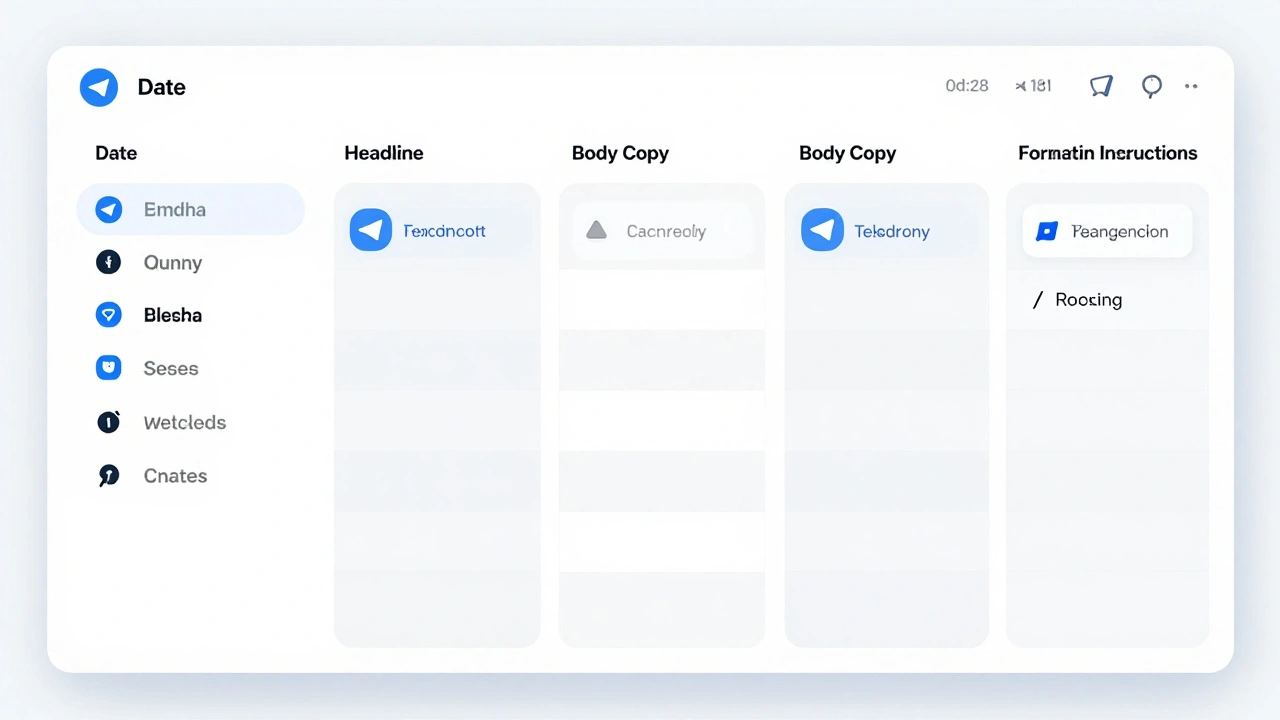
Regardless of the tool, your template needs specific columns to serve news editors effectively. Here’s the essential schema:
- Date/Time: Include timezone (UTC vs. Local) to avoid global audience confusion.
- Headline: The main hook. Keep it under 60 characters for mobile readability.
- Body Copy: The actual message. Include Markdown syntax here (e.g., *bold*, _italic_).
- Link URL: The destination. Ensure it resolves to a page with Open Graph tags for better previews.
- Formatting Instructions: Notes like "Use spoiler tag for victim names" or "Add inline button 'Donate'."
- Approval Status: Who signed off? Crucial for legal compliance in news.
- Channel Tag: If you manage multiple channels (e.g., Breaking News, Politics, Tech), specify which one gets the post.
Avoiding Common Pitfalls
Many news teams fail because they treat Telegram like Twitter. Don’t do this.
Pitfall 1: Overposting. Telegram channels can flood users’ feeds. Stick to 3-5 high-quality updates per day unless it’s a major breaking event. Use polls to gauge audience interest before diving deep into niche topics.
Pitfall 2: Ignoring Comments. Unlike Facebook, Telegram comments live in a linked group. Your calendar should include a "Community Response" column. Did someone ask a question in the last post? Schedule a follow-up reply.
Pitfall 3: Hardcoding Links. Never paste raw URLs. Use Telegram’s automatic link detection or inline buttons. Raw links look spammy and reduce trust.
Pitfall 4: Neglecting Mobile Preview. Always test your scheduled post on a mobile device. What looks clean on desktop might wrap awkwardly on phones. Adjust line breaks accordingly.
Integrating Analytics into Your Calendar
A static calendar is dead weight. You need feedback loops. After each post, log performance metrics back into your template.
Track:
- Views: How many people saw the post?
- Click-Through Rate (CTR): If you used inline buttons, how many clicked?
- Shares: Did users forward the post to other chats?
- Comment Sentiment: Was the reaction positive, negative, or neutral?
Use this data to refine future entries. If posts with spoiler tags get 20% more views, add a "Spoiler Recommended" flag to your template. If political news drives more shares than tech news, adjust your weekly mix.
Next Steps for Implementation
Start small. Pick one tool-Notion, Airtable, or even a structured Google Sheet-and build the template with the columns listed above. Run a two-week pilot. Have your editors log every post, including formatting notes and results. Review what slowed them down. Did they struggle with Markdown syntax? Add a cheat sheet to the template. Did approvals bottleneck? Automate the status change.
Remember, the goal isn’t perfection. It’s consistency and speed. A well-designed content calendar turns chaos into rhythm, letting your newsroom focus on stories, not logistics.
Can I schedule Telegram posts automatically?
Yes. Telegram’s native scheduler works for up to 7 days. For longer-term automation, use the Telegram Bot API combined with tools like Zapier or Make.com to trigger posts from spreadsheets or databases.
What is the best free tool for a Telegram news calendar?
Google Sheets or Notion are excellent free options. Notion offers better visual organization and Markdown support, while Google Sheets is simpler for basic date/time tracking. Both require manual publishing unless integrated with automation tools.
How do I handle breaking news in a pre-scheduled calendar?
Keep your calendar flexible. Use a "Breaking News" queue separate from your scheduled grid. In tools like Trello or Asana, maintain a "Hot Priority" column that overrides planned content. Communicate clearly with your team to pause or delete scheduled posts if necessary.
Does Telegram support rich media in scheduled posts?
Yes. You can schedule posts with images, videos, documents, and audio. However, ensure files are uploaded before scheduling. Some third-party schedulers may struggle with large file attachments, so native scheduling or bot API methods are more reliable for heavy media.
How many times should a news channel post per day?
Aim for 3-5 high-quality updates daily. Overposting can lead to user fatigue and unsubscribes. Quality matters more than quantity. Use analytics to find your audience’s peak activity times and concentrate posts then.