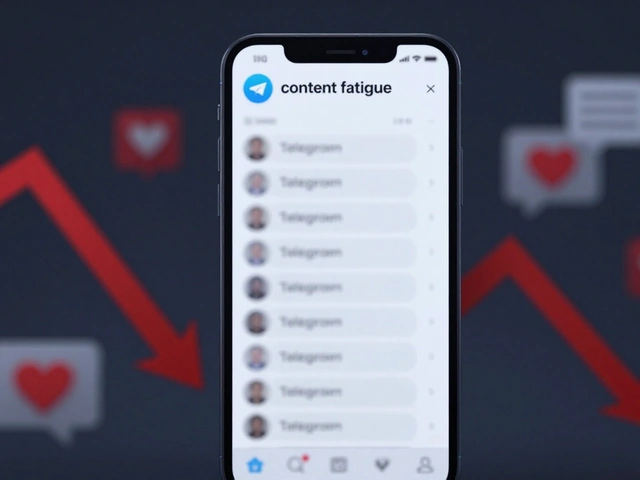
There is nothing more annoying than having your phone buzz nonstop all day long. You pick it up expecting urgent news, but it’s just another update you’ll read later-or never at all. Over time, this constant pinging creates a mental block. Your brain stops caring because the signal gets lost in the noise. This is notification fatigue, and it kills engagement faster than almost anything else.
For publishers using Telegrama messaging platform popular for news distribution, the stakes are high. If subscribers turn off your alerts, they might leave the channel entirely. They don't always tell you when they mute a notification; they just disappear from your analytics. To keep your audience engaged without burning them out, you need a strategy that prioritizes quality over quantity.
What Is Notification Fatigue?
Notification fatigue is the psychological stress caused by receiving too many alerts. It happens when your audience feels overwhelmed by the volume of messages you send. Instead of checking every alert, users start ignoring everything. This leads to lower open rates and higher opt-out numbers.
In 2026, attention is a scarce resource. Users are juggling emails, SMS, app pushes, and messenger alerts simultaneously. When your Telegram updates arrive constantly throughout the day, they compete with breaking news from other sources, work messages, and personal chats. Eventually, your brand becomes background noise. The goal isn't to stop sending news, but to send it when it actually matters to the reader.
The Power of Smart Batching
One of the most effective ways to reduce fatigue is intelligent batching. Instead of sending five separate alerts for five different stories, combine them into a single digest. Research shows that apps offering comprehensive preference controls see significantly lower opt-out rates. When you give users a summary, they feel informed without the pressure to respond immediately.
You can implement batching in two main ways:
- Time-based batching: Send one morning update around 8 AM and one evening update around 6 PM. This respects the user's daily rhythm.
- Event-based batching: Wait until you have three or four significant articles before sending a single "Top Stories" message. This ensures every notification has weight.
This approach changes the value proposition. A notification isn't just a link anymore; it's a curated collection of content. Users appreciate spending less time managing their phone while staying updated on the topics they care about.
Granular Preference Controls
Treating all subscribers the same is a recipe for frustration. Not everyone wants to know about every local event or policy change. Some want deep dives, others just want headlines. Providing granular preference controls allows users to customize their experience.
On Telegram, you can create sub-groups or channels based on interest categories (Politics, Tech, Local Events, Lifestyle). Let users choose exactly which of these trigger alerts. If someone subscribes to the main channel but only cares about politics, allow them to filter the rest. When users feel in control, they trust you more. Courier.com analysis suggests that giving users this level of customization directly correlates with sustained engagement.
Here is a quick look at how different control levels impact retention:
| Control Type | Description | Retention Impact |
|---|---|---|
| Binary (All or Nothing) | User receives every alert or none. | High opt-out rate due to overwhelm. |
| Category Filters | User selects topics of interest. | Moderate retention improvement. |
| Frequency Caps | Limit max alerts per day/week. | Higher engagement, fewer blocks. |
| Schedule Preferences | User sets quiet hours. | Highest satisfaction, lowest fatigue. |
Timing and Quiet Hours
Even the most important news lands flat if it arrives at 2 AM. Time-zone awarenessadjusting delivery times based on user location is critical. A subscriber in New York is sleeping when your afternoon post goes live for someone in California. Automated tools can now adjust delivery windows based on the user's device location or profile data.
Implementing quiet hours lets subscribers define their own boundaries. Maybe they don't want alerts during work hours (9 AM - 5 PM) or after 9 PM. Respecting these boundaries reduces anxiety. Psychology Today notes that allowing users to set specific periods for checking notifications drastically reduces digital fatigue risks.
If you cannot schedule automated delays within Telegram itself, use an external middleware tool to hold non-urgent updates until a safe window. Breaking news should still go out immediately, but routine summaries wait for the agreed-upon time slot.
Cross-Channel Synchronization
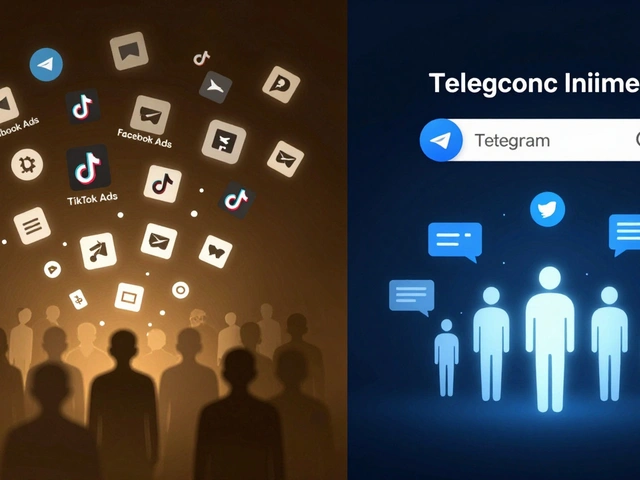
Many publishers make the mistake of spamming the same user across multiple platforms. If you send an email newsletter, you shouldn't also blast a Telegram alert for the exact same story. It feels redundant and intrusive. Cross-channel synchronizationcoordinating messages across different communication lines prevents this overlap.
Your systems should track recent interactions. If a user opened your email last hour, skip the push notification for that specific story. Or, prioritize the channel based on the content type. Use Telegram for breaking, short-form updates. Save detailed analysis or long-form lists for email.
Automation tools can aggregate these signals to decide the best path. This ensures you aren't doubling down on the same piece of content. It keeps the feed fresh and relevant rather than repetitive.

Prioritization with Intelligent Filtering
Not all stories deserve an immediate alarm. Categorize your content by urgency. Create a "Breaking" tag for news that truly needs instant attention (disasters, major political shifts, stock market crashes). Everything else falls into the "Daily Brief" bucket.
Intelligent filtering uses behavioral patterns to predict relevance. If a user consistently clicks on tech stories but ignores sports, your algorithm should boost the frequency of tech alerts for them. Over time, this machine learning approach tailors the feed without requiring manual adjustments from the reader. It makes every ping feel like it was personally selected for them.
Additionally, consider implementing priority logic. High-priority items break through silent modes, while low-priority items are batched. This distinction helps users distinguish between actual emergencies and general updates.
Educating Your Audience
Finally, users won't use features they don't know exist. Many people find the notification settings buried in their phone menus. Create a simple guide within your Telegram welcome message. Show them exactly where to tap to mute non-essential categories or enable digest mode.
Team education matters too. Ensure your editorial staff understands the cost of unnecessary alerts. A headline should only trigger a push if it offers genuine immediate value. Regular audits of your notification history help identify patterns of over-alerting that readers might tolerate silently before finally leaving.
Frequently Asked Questions
Why do subscribers mute my Telegram notifications?
They usually mute notifications because of overload. If they receive ten alerts a day, only one matters. To prevent muting, limit daily volume and use digest formats instead of constant pings.
Can I send scheduled posts on Telegram?
Yes, Telegram allows scheduling messages. Use this feature to align delivery times with your audience's peak activity hours, typically mornings or early evenings.
How does batching affect engagement rates?
Batching often increases engagement per notification. While total click counts might drop, the clicks that do happen are higher quality because users focus on the consolidated content.
Is it okay to silence breaking news?
Generally, no. Breaking news requires immediacy. However, distinguish true breaking news from regular updates. Only urgent items bypass standard batching or quiet hours.
What metrics show notification fatigue?
Look for rising opt-out rates, dropping open rates, or spikes in unsubscribes. Also, monitor feedback where users report annoyance or manually disabling sounds for your app specifically.