When you publish news on Telegram, you're not just hitting send. You're putting your reputation on the line. One poorly formatted article can make your channel look unprofessional. One delayed update can make your audience lose trust. And one spammy post? That’s how you get unsubscribed.
Telegram isn’t just another messaging app. It’s a news platform with real standards - especially for publishers. The platform doesn’t care how many posts you make. It cares if your posts work. That’s where editorial checklists come in. Not as busywork. Not as bureaucracy. But as your secret weapon to keep your audience engaged and your brand credible.
Instant View: Your Article Must Pass This Test
If your news article doesn’t display properly in Telegram’s Instant View, it might as well not exist. Instant View strips away clutter and loads your content in under a second. But it’s strict. And if you don’t follow the rules, your article gets mangled - or worse, ignored.
Here’s what you absolutely must include:
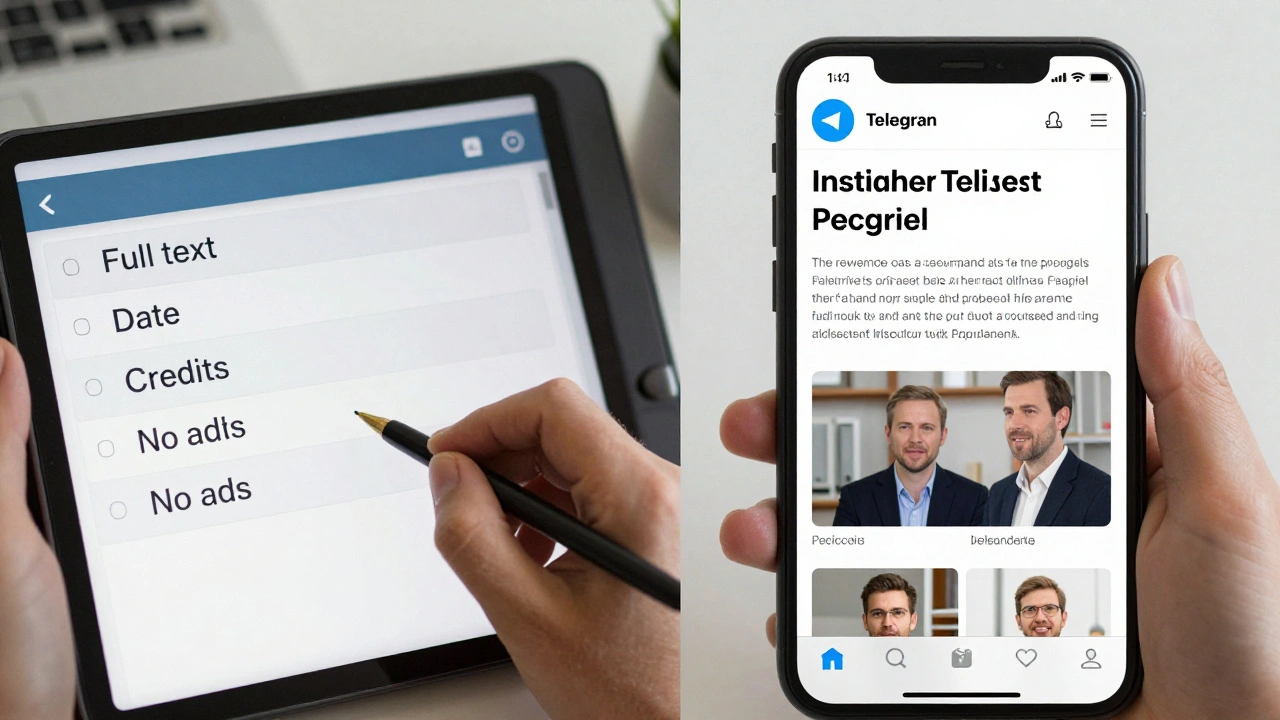
- The full article text - no cuts, no summaries. If your readers can’t read the whole story in Instant View, you’ve failed.
- The publication date - this isn’t optional. Telegram pulls it from meta tags, so make sure your CMS is tagging it right.
- The title - and if you have a subtitle, show it. A subtitle isn’t decoration. It’s context.
- Lead paragraph - if it’s styled differently (like bold or italic), leave it that way. Don’t turn it into a subtitle.
Missing any of these? Instant View will still load - but it’ll look broken. And broken looks untrustworthy.
Media Isn’t Optional - It’s Mandatory
News isn’t just words. It’s photos, videos, charts, and captions. Telegram’s Instant View expects you to treat media with the same care as text.
Here’s the deal:
- Every image that matters must be included. If it’s in the original article, it should be in Instant View. No exceptions.
- Captions - if your photo has a caption, it must appear below it. Not above. Not beside. Below. And it must be clearly linked to the image.
- Video links - if you link to a video, make sure it’s embedded. Telegram supports YouTube, Vimeo, and even Aparat. But if the link just says "Watch here," it’s useless.
- Cover images - if your article has a featured image, it must be shown as the first visual in Instant View. No hiding it behind a "click to see more" button.
And don’t forget credits. If a photo is from Reuters, AP, or a freelance photographer, credit it. Not in a tiny footnote. Not in the comments. Right next to the image. Telegram’s rules demand it.
Links: Less Is More
Telegram hates cluttered links. If you’ve ever clicked on a news article and seen 15 "Read more" links, you know how annoying it is. Telegram’s system forces you to clean up.
Here’s how to handle links:
- Related articles - if you’re linking to other stories on the same topic, put them in a dedicated "Related articles" section. Not scattered. Not buried. A clean block at the bottom.
- All other links - remove them. Ads, social media buttons, newsletter sign-ups, affiliate links - none of it belongs in Instant View.
- Your channel - you can add your official Telegram channel link at the top of the Instant View page. That’s the only external link allowed. Use it.
Why? Because Telegram wants readers to stay focused on your story. Not get distracted by your other products.
Quality Over Quantity - Always
Some publishers think posting five times a day keeps their audience engaged. They’re wrong.
Telegram’s own guidelines say: One high-quality post beats five low-value ones.
Here’s what works:
- News channels - can post hourly if breaking news is happening. But if there’s no new development? Wait. Don’t rehash yesterday’s headline.
- Other channels - stick to 2-3 posts per week. Deep analysis. Verified facts. Context. That’s what people remember.
- Timing - post in the morning. Between 7 and 10 AM local time. That’s when people are checking their phones before work. Weekdays beat weekends. Saturday nights? Save the memes.
Don’t trick yourself into thinking volume equals authority. Telegram users notice when you’re just filling space.
Automate Smart - Not Just Fast
RSS feeds are great. They save time. But if you just auto-post everything from your feed, you’re asking for trouble.
Here’s how to automate without being robotic:
- Filter by length - only post articles over 500 words. Short, vague blurbs don’t belong on a news channel.
- Filter by author - if your team has trusted reporters, only auto-post their work. Ignore guest posts unless they’re vetted.
- Filter by keywords - if your feed includes "breaking" or "exclusive," allow those. Skip "10 ways to..." or "you won’t believe this."
- Cap daily posts - no more than 3 automated posts per day. Even if your feed has 10 items.
- Summarize - if five stories are about the same event, turn them into one digest post. "Today’s Top 3: [Event]" works better than five separate posts.
And always, always test. Send a test post. Check how it looks on mobile. Confirm the links work. Make sure the date shows. Then, and only then, hit publish.

Use the New Tools - But Don’t Rely on Them
Telegram’s 2025 update brought two game-changers: interactive checklists and suggested posts.
Checklists? They’re not for publishing articles. They’re for your team. Use them to track:
- Article drafts ready for review
- Media files uploaded
- Fact-checking completed
- Legal review signed off
Set permissions so only editors can mark items complete. Let fact-checkers add notes. This turns chaos into control.
Suggested posts? That’s your audience’s way of helping you. Let subscribers send you tips, photos, or local reports. You don’t have to post them all. But you should respond. A simple "Thanks for sharing" builds loyalty.
What Telegram Doesn’t Care About (But You Should)
Telegram doesn’t require author names. If your article has no byline, that’s fine. But here’s the truth: your readers do care.
When people read your news, they want to know who wrote it. A byline builds trust. A missing author? It feels anonymous. And anonymous feels unreliable.
Same goes for sources. If you quote a government report, link to it. If you cite an expert, name them. Telegram doesn’t force you - but your audience will notice when you skip it.
And don’t forget: if you’re republishing content from elsewhere, credit the source. Even if it’s just "Originally published by The Daily Chronicle." It’s ethical. It’s smart. And it protects you.
Your Final Checklist (Print This)
Before you hit "Send" on any news post, run through this:
- Is the full article text included - no cuts?
- Is the publication date visible and correct?
- Is the title and subtitle (if any) clearly displayed?
- Are all key images and videos included with captions?
- Are credits for media clearly shown?
- Are related articles grouped in a "Related articles" section?
- Are all ads, social buttons, and external links removed?
- Is your official Telegram channel link at the top?
- Is the post timed for morning weekday delivery?
- Have you tested the Instant View on mobile?
If you answer "yes" to all 11? You’re ready.
Do I need to use Instant View for every news post on Telegram?
Yes, if you want your content to appear cleanly and consistently across all devices. Instant View is Telegram’s preferred format for news. Posts without it may look messy on mobile, lose formatting, or even be ignored by users. It’s not mandatory for basic text posts, but for news - where credibility matters - it’s the standard.
Can I post breaking news without following the checklist?
You can, but you shouldn’t. Even during breaking news, skipping the checklist risks your credibility. A broken layout, missing date, or uncredited image makes your report look sloppy. Instead, prepare a basic template ahead of time. Have your media ready. Know where to pull the publication date. Speed matters - but so does clarity.
How often should I post news on Telegram?
For active news channels, once every hour is acceptable during major events. But on normal days, 1-3 high-quality posts per day is enough. More than that overwhelms followers. For non-news channels, stick to 2-3 posts per week. Quality always beats frequency. Telegram’s algorithm favors engagement, not volume.
Can I use emojis in news posts on Telegram?
Yes - but use them wisely. A single emoji at the start of a headline can draw attention. A string of them? It looks like a meme. News posts should feel serious. Use emojis to highlight urgency (like 🔴 for breaking) or clarity (like 📌 for key facts). Never use them in place of clear language.
What happens if I don’t credit the photo source?
Telegram won’t block your post. But your audience will notice. Journalists and photographers often monitor Telegram channels. If they see their work used without credit, they may call you out publicly - or worse, report you for copyright violation. Always credit. Even if it’s just "Photo: John Doe." It’s professional. It’s safe. And it’s the right thing to do.