Tracking how public opinion shifts on a breaking news story is messy. You post a question in your Telegram channel, wait for replies, and try to remember what people said yesterday versus today. It’s chaotic, inconsistent, and frankly, it doesn’t scale. If you want real data-trends, spikes, and genuine sentiment-you need consistency. That means posting the same type of question at the same time, every single day or week, without lifting a finger.
This is where automating poll series changes the game. By setting up automated workflows, you can deploy recurring polls that gather structured opinion data from your community automatically. Whether you are a news editor tracking political sentiment, a community manager gauging audience interest, or an educator testing knowledge retention, automation turns scattered comments into clean, analyzable datasets. As of May 2026, the tools available range from simple no-code schedulers to complex AI-driven systems that generate unique questions daily.
The Core Problem: Manual Polling Fails at Scale
Let’s be honest about why manual polling sucks for research. First, human memory is unreliable. Did you post the poll at 9 AM or 11 AM? Did you use the exact same wording as last week? Small inconsistencies ruin comparative analysis. Second, it’s tedious. Creating a poll, copying options, and hitting send takes minutes. Do that ten times a day for a month, and you burn out.
More importantly, manual polling creates gaps. If you miss a day because you’re busy, your dataset has a hole. In sentiment tracking, continuity is everything. You need to see the curve of opinion as a story develops, not just snapshots taken when you felt like it. Automation solves this by enforcing discipline. The bot doesn’t get tired, it doesn’t forget, and it posts exactly when scheduled.
Consider a news outlet covering a major election. They want to track voter confidence weekly. Manually, this requires a dedicated staff member to draft, approve, and post polls every Monday. With automation, a single setup triggers the poll every Monday at 8 AM UTC. The data flows directly into a spreadsheet. No human intervention needed between setup and analysis.
Simple Scheduling with Zapier
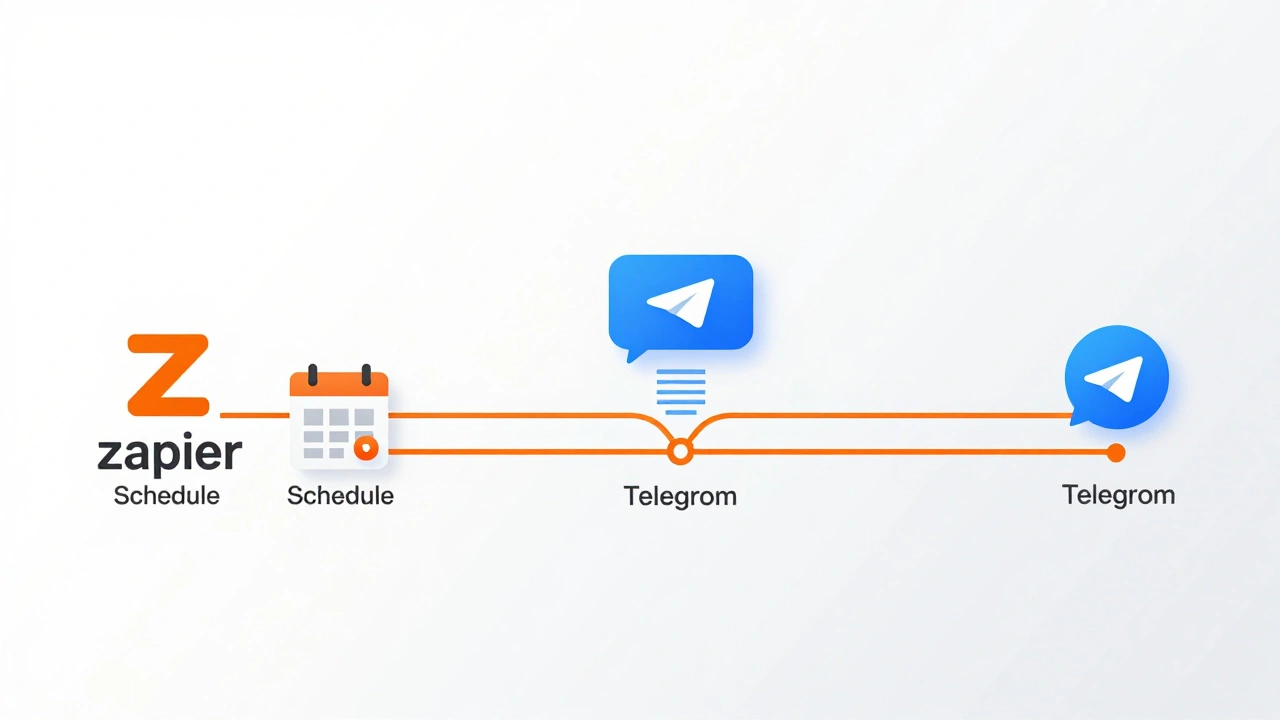
If you just need to post pre-written questions on a strict schedule, Zapier is a cloud-based automation platform that connects apps to trigger actions without code is often the easiest entry point. It works well if your poll content is static or rotates through a fixed list of questions.
The setup is straightforward. You create a "Zap" triggered by Schedule by Zapier, which acts as a clock. You set it to trigger every day at a specific time, say 10:00 AM EST. The action step uses the Telegram integration to "Send Poll." You map the question text and answer options from your Zapier configuration into the Telegram API fields.
- Pros: Extremely easy to set up. No server maintenance. Reliable scheduling infrastructure handled by Zapier.
- Cons: Limited logic. You can’t easily change the question based on external events (like a new article publishing). It’s rigid.
- Best For: Daily check-ins, weekly surveys, or rotating through a predefined bank of questions.
This approach leverages Telegram’s native poll API, including the enhanced "Mighty Polls" features introduced in 2025. These updates improved the visual presentation and interactivity of polls, making them more engaging for users. Zapier simply sends the command to Telegram’s servers, which handles the voting interface and response collection.
Dedicated Bots: The Send4Me2 Approach
Sometimes, you don’t want a general-purpose automation tool. You want a bot that lives inside your chat and does one thing perfectly. This is where dedicated projects like send4me2 come in. This open-source project is specifically designed to automate recurring polls in Telegram chats.
Unlike Zapier, which runs in the cloud and pushes data to Telegram, send4me2 operates closer to the user experience within the chat itself. You add the bot to your group or channel. Then, you use commands to configure it. For example, typing `/add` allows you to define a recurring poll. You specify the question, the multiple-choice answers, and the days of the week it should appear.
The syntax is flexible. You can tell the bot to post a poll every "Mon", "Wed", and "Fri". You can also manage existing polls using `/list` to see what’s active and `/remove` to delete unwanted schedules. This gives you granular control without needing to log into a separate dashboard.
- Deployment: Requires npm installation (`npm i`) for self-hosted instances, though a live bot version is available for direct addition to groups.
- Control: High. You manage the poll lifecycle directly via chat commands.
- Limitation: Less integrated with external data sources. It’s great for scheduling, but not for generating dynamic content based on news feeds.
This method is ideal for community managers who want their poll automation to feel native to the Telegram environment. It removes the friction of switching contexts between a web dashboard and the app.
Advanced Automation: AI-Generated Polls with n8n
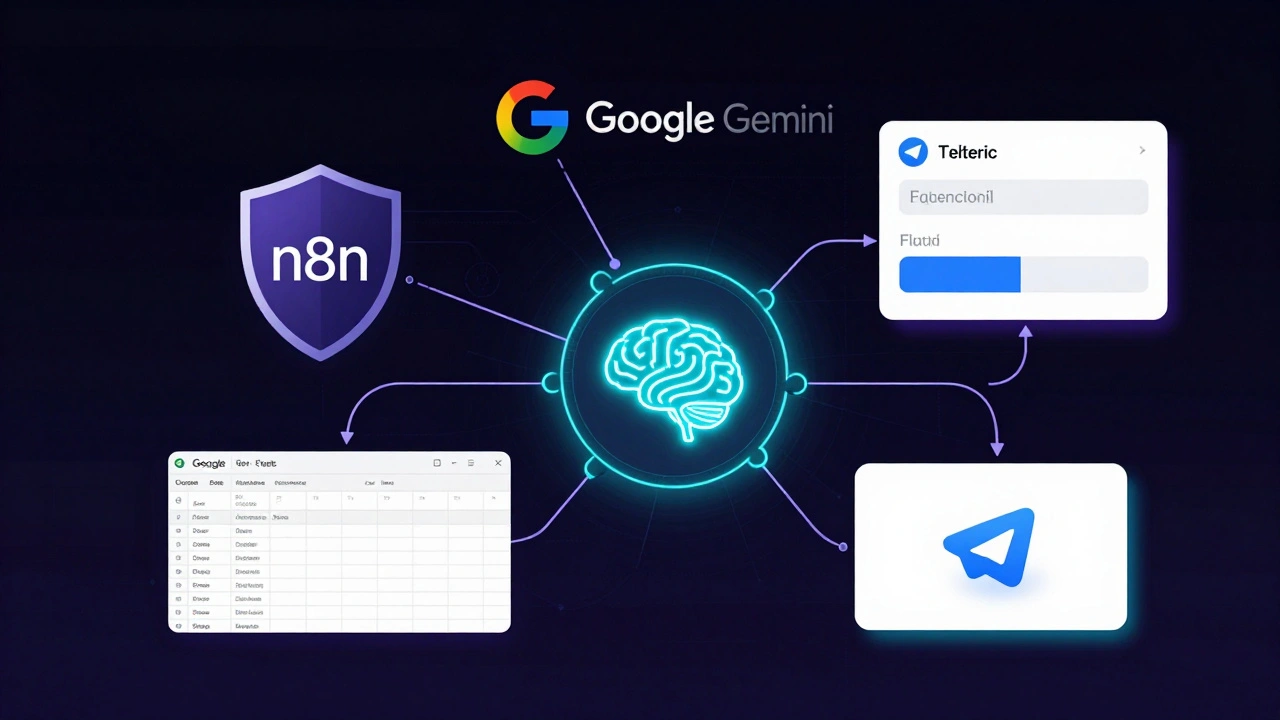
If you want to go beyond static questions, you need intelligence. This is where n8n, a workflow automation tool, shines. Unlike Zapier, n8n allows for complex logic, branching paths, and deep integrations with AI models. A popular template involves using Google Gemini to generate unique multiple-choice questions (MCQs) based on a specific topic or syllabus.
Here’s how the advanced workflow looks:
- Trigger: A schedule node initiates the process, say, once every hour.
- AI Generation: The workflow calls the Google Gemini Chat Model API. The prompt instructs the AI to create a unique MCQ about a specific news topic or subject area.
- Deduplication: Before posting, the system checks Google Sheets to ensure this question hasn’t been asked before. This prevents repetition.
- Storage: The new question is saved to Google Sheets as a permanent record.
- Publishing: A second workflow monitors the sheet for new rows. When it finds one, it validates the data and posts it as an interactive poll to your Telegram chat.
- Feedback Loop: Once posted, the row is marked "Posted," and the system triggers the next generation cycle.
This creates a continuous loop of content creation and distribution. You aren’t just scheduling old questions; you’re generating fresh ones tailored to current events or educational needs. The flexibility is immense. You can adjust the difficulty, format, or even switch the destination from Telegram to Slack or Discord with minimal changes.
- Requirements: An n8n instance (cloud or self-hosted), Google account credentials for Sheets and Gemini, and a Telegram Bot Token.
- Power: High. Enables dynamic, context-aware polling.
- Complexity: Higher. Requires understanding of workflow nodes and API prompts.
Comparing Your Options
Choosing the right tool depends on your technical comfort and your goals. Here is a breakdown of the three main approaches discussed.
| Feature | Zapier | send4me2 Bot | n8n + AI |
|---|---|---|---|
| Setup Difficulty | Low | Medium | High |
| Content Source | Static/Pre-defined | Static/Pre-defined | Dynamic/AI-Generated |
| Scheduling Flexibility | Rigid (Time-based) | Day-of-week based | Event-driven or Time-based |
| Data Storage | External (Sheets/Airtable) | Limited | Integrated (Sheets/DB) |
| Best Use Case | Daily routine checks | Community engagement | News/Education tracking |
If you are a small team with limited tech resources, start with Zapier. It gets the job done with minimal headache. If you are a community leader who wants control within the chat, look at send4me2. But if you are building a serious opinion-tracking engine for news or education, invest the time in n8n. The ability to generate unique, relevant questions automatically is a massive advantage.
Designing Effective Poll Questions
Automation handles the posting, but it doesn’t handle the psychology. Bad questions yield bad data, regardless of how smoothly they are delivered. When designing your poll series, keep these principles in mind.
Avoid Leading Questions: Don’t ask, "Don’t you agree that Candidate X is doing a great job?" Instead, ask, "How do you rate Candidate X’s performance so far?" Neutral language ensures unbiased results. In automated systems, you can batch-test questions to ensure consistency in tone.
Keep Options Mutually Exclusive: If you ask about favorite news topics, don’t include both "Politics" and "Local Government" if they overlap significantly. Clear categories make analysis easier. With AI-generated polls, you can instruct the model to enforce mutually exclusive options in the prompt.
Manage Poll Fatigue: Just because you *can* post a poll every hour doesn’t mean you *should*. Over-polling causes users to ignore messages or leave the channel. Start with once a day or twice a week. Monitor engagement rates. If responses drop, reduce frequency. Automation makes it easy to ramp up or down, so treat frequency as a variable to optimize.
Context Matters: Link your poll to a recent story. If you are tracking opinion on a news event, post the poll immediately after sharing the article. The recency effect ensures respondents have fresh information in mind. In n8n workflows, you can trigger polls based on RSS feed updates, ensuring immediate relevance.
Storing and Analyzing the Data
The value of automated polling isn’t just in asking; it’s in answering. You need a place to store the results. Google Sheets is the most common choice due to its accessibility and integration with tools like Zapier and n8n.
Set up a structured database. Each row should represent a poll instance. Columns might include:
- Timestamp: When the poll was posted.
- Question Text: The exact wording used.
- Topic Tag: A category label (e.g., "Economy," "Climate").
- Response Counts: Number of votes per option.
- Total Votes: Sum of all responses.
With this structure, you can build pivot tables to visualize trends over time. Look for correlations between news events and opinion shifts. For example, did support for a policy drop after a specific headline? Automated data collection makes these insights possible because the data is clean, consistent, and complete.
For larger datasets, consider moving from Sheets to a proper database like PostgreSQL. This improves query speed and security. However, for most community managers and journalists, Sheets remains sufficient for initial analysis and reporting.
Ethical Considerations and Privacy
Automating data collection raises ethical questions. Even though Telegram polls are often anonymous within the chat, you are still gathering opinion data from individuals. Be transparent about your intentions. Let your community know you are tracking opinions for research or improvement purposes.
Respect privacy. Do not attempt to link poll responses to individual user identities unless explicitly permitted and necessary. Telegram’s native poll API keeps responses anonymous by default, which is a good safeguard. Maintain this anonymity in your storage systems.
Also, consider the impact of frequent polling on mental health. Constantly asking for opinions on controversial or stressful news topics can contribute to anxiety. Balance your data needs with community well-being. Provide breaks, offer positive content, and avoid sensationalism in your poll questions.
Can I automate polls in private Telegram channels?
Yes, but you need the bot to have administrator privileges in the channel. Public channels allow any user to interact, while private channels restrict access. Ensure your bot token has the necessary permissions to send messages in the target chat ID.
Is n8n free to use for poll automation?
n8n offers a self-hosted version that is free and open-source. However, you may incur costs for hosting the server and for API usage, such as Google Gemini credits or premium Zapier/n8n cloud plans if you choose managed services.
How do I prevent duplicate questions in AI-generated polls?
Use a deduplication step in your workflow. Before posting, compare the newly generated question against your historical database (e.g., Google Sheets). If a similar question exists, reject it and request a new one from the AI model.
What is the best time to post polls for maximum engagement?
There is no universal best time. Test different slots (morning, lunch, evening) and analyze response rates. Generally, aligning polls with peak activity hours in your specific community yields better results. Automation allows you to experiment easily.
Can I export poll data to Excel or other formats?
Yes. Since most automation tools integrate with Google Sheets, you can download the sheet as CSV or Excel. Alternatively, configure your workflow to export data directly to PDF reports or dashboards for easier sharing.