When you're sharing news on Telegram, your audience isn't sitting at a desk with a big screen. They're scrolling on their phone while waiting in line, riding the bus, or checking updates during a coffee break. That means your message has to grab attention fast - and stay clear even when read in three seconds. Telegram news formatting isn't about fancy design. It's about making every word count on a tiny screen.
Use the right text styles - and use them wisely
Telegram gives you six basic text styles, and each one has a job. Use them like a reporter uses headlines, quotes, and bullet points.
- Bold - Use this for your headline, key names, or urgent info. If someone glances at your post, bold text is what they’ll see first. For example: Breaking: City Council votes to ban single-use plastics. No fluff. Just the core fact.
- Italic - Save this for quotes, sources, or subtle emphasis. It’s softer than bold. Use it when you want to highlight someone’s words without shouting: “This decision will affect 40,000 residents,” said Mayor Ruiz.
Monospace- This is for code, URLs, or exact numbers. If you’re sharing a link, a policy number, or a timestamp, wrap it in backticks:https://example.com/reportor2026-03-02 14:30 EST. It stands out from normal text.- ~~Strikethrough~~ - Rarely used in news, but handy if you’re correcting a typo mid-post. Example: The event starts at 3 PM ~~2 PM~~.
- Underline - Telegram allows it, but it’s risky. On mobile, underlines look like links. If you use them, people might think you’re trying to link somewhere. Avoid unless you’re sure.
- ||Spoiler|| - This one’s clever. Use it to hide extra context that’s not urgent. Maybe you’re sharing a quote from a long interview. Put the full quote in a spoiler so readers can choose to see it. ||The mayor also mentioned plans to expand bike lanes, which were rejected last year.||
Don’t use all six at once. That’s visual noise. Pick one or two per message. Bold for the headline. Italic for the quote. That’s it.
Break it up - one message, one idea
Telegram lets you send messages over 4,000 characters. But no one reads that on mobile. Ever.
Think of each message like a tweet with room to breathe. One idea per message. If your news has three parts - announcement, context, next steps - send three separate posts. They’ll appear as a chain. People can scroll through them like a mini-story.
Why does this work? Because mobile scrolling is impatient. A wall of text feels like a chore. Three short messages feel like a conversation. Each one has space to breathe. Each one can be read in under 5 seconds.
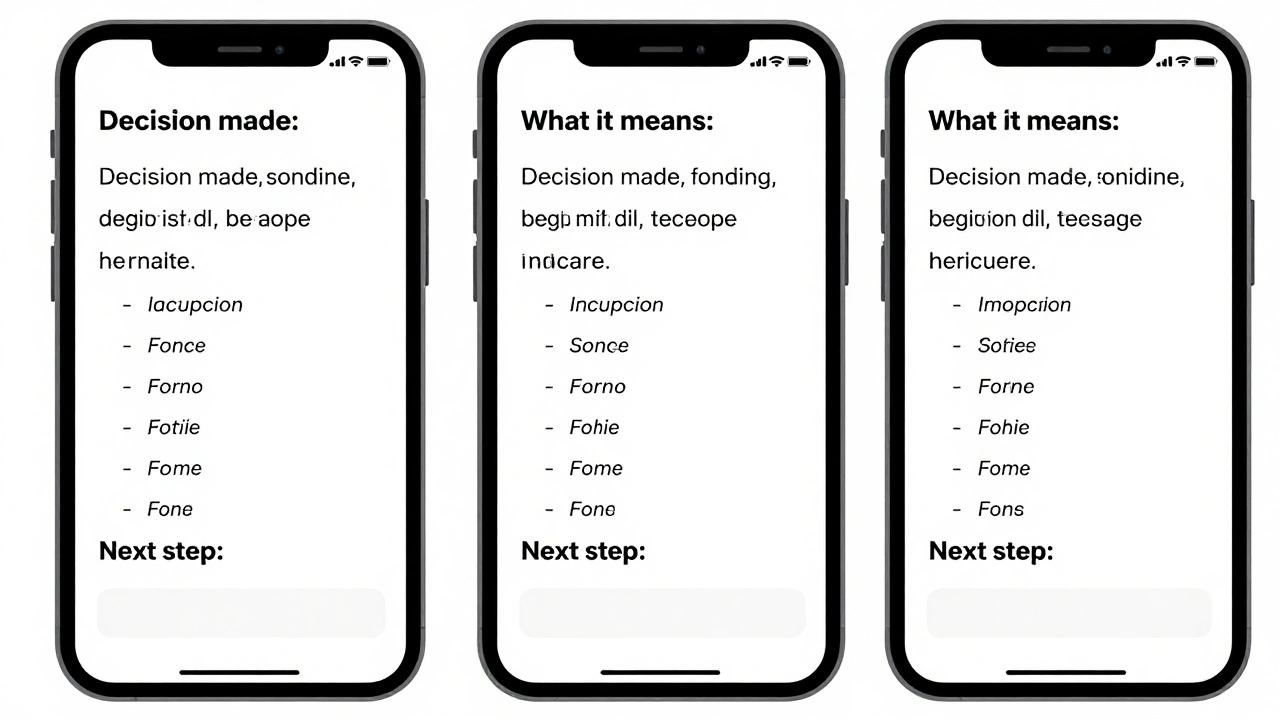
Pro tip: Start each message with a bolded keyword. Like:
- Decision made: City Council approved the ban.
- What it means: 40,000 residents will need to switch packaging by July.
- Next step: Submit feedback by March 15 at city.gov/plastic.
This structure works because it’s predictable. People know what to expect. They don’t have to guess.
Use bullet points - even on mobile
You can’t use fancy lists in Telegram. But you can fake them.
Use dashes or asterisks at the start of each line. Keep lines short. Leave a blank line between points. It looks clean. It scans fast.
Example:
- - 12 new bike lanes approved
- - 3 parks to get solar-powered benches
- - Free recycling bins distributed next week
Compare that to a paragraph:
The city approved 12 new bike lanes, 3 parks will get solar-powered benches, and free recycling bins will be distributed next week.
Which one do you read first? The bullet list. Always.
Write like you’re talking to a friend - but stay sharp
Telegram isn’t a press release. It’s a chat. But it’s still news.
Use active voice. Say “The council voted” not “It was voted on by the council.”
Avoid jargon. “Municipal ordinance” becomes “city rule.” “Implementation phase” becomes “starts next month.”
Be direct. Don’t say “It is believed that…” Say “They confirmed…” or “Officials said…”
And never forget: clarity beats cleverness. If your reader has to reread your message, you lost them.
Use quotes - but make them count
Quotes add trust. But a 3-line quote in a wall of text? It disappears.
Shorten quotes. Cut filler. Keep only the line that changes the story. Then wrap it in italics.
Bad: “We have been reviewing this proposal for over 18 months, consulting with over 12 community groups, and after weighing all the data and feedback, we have concluded that the proposed policy aligns with our long-term sustainability goals.”
Good: “This policy aligns with our sustainability goals,” said Councilor Lee.
That’s 7 words instead of 42. It’s still real. It’s still authoritative. And it fits on one line.
Test it on your phone
Before you hit send, open your message on your phone. Not your laptop. Your phone.
Read it in 3 seconds. Can you understand the main point? Can you see the bolded part? Are the bullet points clear? Is there too much text?
If the answer is no, cut it. Trim it. Split it.
Try this trick: Read your message out loud. If it sounds like a speech, it’s too long. If it sounds like a text message - perfect.
What not to do
- Don’t use ALL CAPS. It looks like yelling. And it’s hard to read.
- Don’t mix 5 formatting styles. Pick one focus. Bold. Maybe italics. That’s enough.
- Don’t send one 500-word post. Break it into 3-5 messages.
- Don’t use emojis as punctuation. One or two for tone is fine. Ten in a row? You’re not a teen. You’re a news source.
- Don’t assume people will read the whole thing. They won’t. Design for the glance.
Advanced: Use spoilers for context
Most people ignore spoilers. But smart news teams use them.
Let’s say you’re reporting on a protest. Your main message: Protest draws 5,000 people downtown.
Then add a spoiler: ||The protest was organized by the Climate Action Network, which has 12,000 members. A full list of demands is available here: [link].||
People who care can tap to read. People who just want the headline skip it. No clutter. No overload.
Final rule: Be consistent
Don’t change your style every day. If you always bold the headline, keep doing it. If you always use bullet points for lists, stick with it.
Consistency builds trust. Your audience learns how to read your posts. They know where to look. They know what to expect. That’s how you turn followers into readers.
Can I use HTML tags to format Telegram news posts?
No, Telegram doesn’t support HTML directly in messages. But you can use bots that convert HTML-like tags (like <b>text</b>) into formatted text. These bots work by re-sending your message with proper formatting applied. However, this adds a step and isn’t reliable for most users. Stick to Telegram’s native formatting: **bold**, __italic__, ```code```, ~~strikethrough~~, and ||spoiler||. It’s simpler, faster, and works everywhere.
What’s the best way to format a breaking news alert on Telegram?
Start with bold text: Breaking: [Headline]. Then add one sentence of core facts - who, what, where, when. Use a monospace code block for exact times or numbers: 14:30 EST. If you have a link, put it on its own line. End with a call to action: “More details coming in 10 minutes.” Keep it under 4 lines. Send it as one message. No fluff.
Should I use emojis in Telegram news posts?
Use them sparingly. One emoji can add tone - like 🚨 for breaking news or 📊 for data. But avoid using emojis as punctuation or to replace words. Don’t write “The bill passed 🎉”. It looks unprofessional. If you’re sharing serious news, skip emojis. If you’re sharing analysis or a lighter update, one or two are fine. Less is more.
How do I format text on iOS or Android?
On iOS, select the text, then tap the “B/U” button that appears. On Android, select the text and tap the three-dot menu, then choose “Format.” You can also type the formatting symbols directly: **text** for bold, __text__ for italic, ```text``` for monospace, ~~text~~ for strikethrough, and ||text|| for spoiler. The app will auto-convert them when you send the message.
Is there a character limit for Telegram news posts?
Telegram allows up to 4,096 characters per message. But you should never hit that limit. For mobile readability, aim for under 200-300 characters per message. That’s 3-5 lines. Longer posts get ignored. Split long stories into a series of 3-5 messages. It’s more effective than one giant post.