Imagine this: your customer service team gets a support request via SMS. Before they can reply, two other agents get the same message on Telegram. Now three people are responding to the same person. One replies with a link. Another asks for more details. A third apologizes for the delay. The customer is confused. And your team wastes hours cleaning up the mess.
This isn’t hypothetical. It’s happening right now in small businesses, support teams, and even solo operators who use both SMS and Telegram for alerts. The problem isn’t having two channels-it’s having both send the same message without checking if the other already did.
Coordinating Telegram and SMS alerts without overlap means making sure each alert goes out once, to the right person, through the best channel. Not twice. Not three times. Once.
Why Overlapping Alerts Are a Hidden Time Bomb
SMS and Telegram aren’t competing-they’re complementary. SMS works when there’s no internet. Telegram is instant, rich with buttons and links, and free for users. But if you send the same alert to both, you’re not being thorough-you’re being noisy.
Here’s what happens when you don’t coordinate:
- Customers get annoyed by duplicate messages
- Team members waste time replying to the same issue multiple times
- Important alerts get buried in noise
- You lose trust because you seem disorganized
Gartner’s 2023 Digital Worker Experience report found that 68% of companies now use three or more communication channels. Without coordination, message overlap becomes a silent productivity killer. One StartADAM user reported a 35% drop in response time after fixing this exact problem.
How the Integration Works (Without Coding)
You don’t need to be a developer to fix this. Tools like Zapier, Albato, and StartADAM let you connect SMS and Telegram with drag-and-drop setups. Here’s the basic flow:
- Something happens in your system-a new support ticket, a payment failure, a server alert.
- That event triggers an action: send an SMS and a Telegram message.
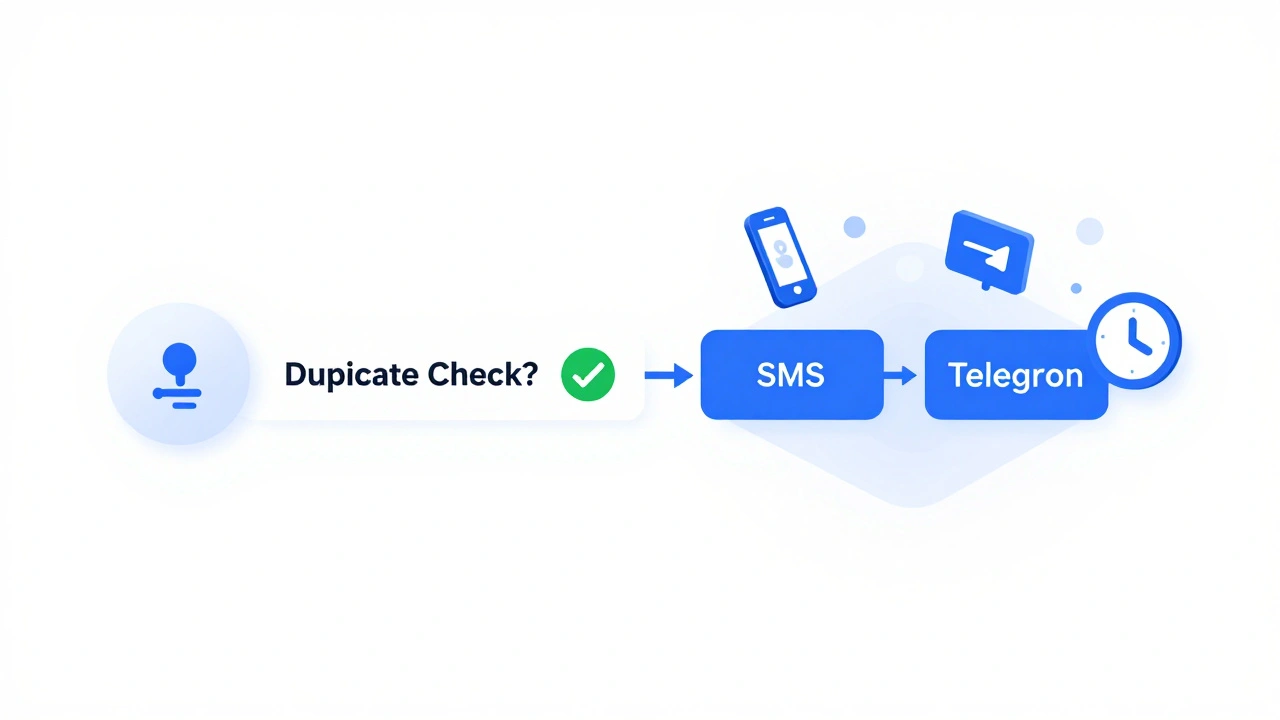
- But instead of sending both, the system checks: Has this alert already been sent?
- If yes, it stops. If no, it sends it once-through the best channel, or both if needed.
The key isn’t just connecting the apps. It’s adding logic to prevent duplication.
Three Tools That Actually Work (And How to Use Them)
1. Zapier - Best for Beginners
Zapier connects over 8,000 apps. For SMS and Telegram, you’ll typically use SMS.to as the SMS provider and Telegram’s bot API.
Setup steps:
- Sign up for a free Zapier account (100 tasks/month free).
- Connect your SMS.to account with your phone number.
- Connect your Telegram bot by pasting the API token from @BotFather.
- Create a new Zap: Trigger = "New Contact in List" (from SMS.to). Action = "Send Message" (to Telegram).
- Map the phone number field from SMS.to to the Telegram recipient field.
- Turn on the Zap.
But here’s the catch: Zapier doesn’t stop duplicates by default. You need a filter. Add a step: "Filter by Previous Zap Runs". If the same phone number got an alert in the last 5 minutes, skip sending the Telegram message.
Users on Reddit report 2-5 minute delays during peak hours. That’s fine for alerts-but not for urgent alerts. For those, use a cooldown timer.
2. Albato - Best for Custom Field Mapping
Albato shines when your data is messy. If your SMS system sends numbers like 555-010-2399 and Telegram needs +15550102399, Albato fixes it automatically.
Setup steps:
- Connect SMS Dar and Telegram.
- Set trigger: "New SMS Received".
- Set action: "Send Telegram Message".
- Use Albato’s field mapper to clean the number:
text_slice((urn_parts(contact.urn).path), 1)removes the + and formats it correctly. - Add a "Delay" step: Wait 30 seconds before sending Telegram, to let SMS deliver first.
This delay prevents the system from sending both messages at once. One user on Capterra said the initial setup took trial and error-but once it worked, it ran perfectly.
3. StartADAM - Best for Teams
StartADAM doesn’t just connect SMS and Telegram. It turns them into one shared workspace.
How it works:
- You authenticate with your phone number.
- You create a group via the StartADAM bot in Telegram.
- You invite team members-even those who only use SMS.
- Everyone sees the same thread, no matter their app.
Messages from SMS appear in the Telegram group. Replies from Telegram go back to SMS. It’s not two channels-it’s one conversation across two networks.
StartADAM also has built-in AI deduplication. If the same alert comes in from two sources within 10 seconds, it merges them. One customer said their support tickets dropped by 40% because agents weren’t double-responding.
The Hidden Problem: Phone Number Formats
One of the biggest reasons integrations fail? Phone number chaos.
SMS systems often store numbers as:
- +1 (555) 010-2399
- 5550102399
- 15550102399
Telegram requires: +15550102399
TextIt’s engineers found that Telegram is "picky" about the + sign. If you send a number without it-or with spaces-Telegram rejects it. That means your alert never gets sent.
Fix it with a simple transformation step in your automation tool:
- Remove all non-digit characters (spaces, dashes, parentheses)
- Add +1 at the start (for US numbers)
- Check length: must be 11 digits after +
Seasalt.ai does this automatically with AI. Their system cleans bad numbers in real time and still hits 98% SMS open rates.
When to Send to Both (And When Not To)
Not every alert needs both channels. Here’s a simple rule:
| Alert Type | SMS Only | Telegram Only | Both |
|---|---|---|---|
| Urgent outage (server down) | ✓ | ||
| Payment failed | ✓ | ||
| New support ticket | ✓ | ||
| Team shift change | ✓ | ||
| Customer onboarding welcome | ✓ |
Send SMS for time-sensitive, mobile-first alerts. Use Telegram for team collaboration, links, and rich replies. Only use both for high-value customer interactions where you want to guarantee reach.
AI Is Changing Everything (And You Should Prepare)
The next wave isn’t just connecting channels-it’s choosing them intelligently.
Seasalt.ai’s "Agentic Send" feature analyzes:
- What time is it?
- Has the user responded to SMS before?
- Is this a weekend?
- Is the user online on Telegram right now?
Then it picks the best channel. No human input needed.
Forrester predicts that by 2025, 45% of enterprises will use AI to route alerts. IDC says 80% will by 2026.
Right now, you can build a basic system with Zapier. But in two years, that system will feel outdated. Start thinking now: How do I make my alerts smart, not just automatic?

Common Pitfalls and How to Avoid Them
- Delay between channels: Use a 30-second cooldown before sending the second message. This gives the first channel time to deliver.
- Numbers don’t match: Always clean phone numbers before sending. Strip spaces, dashes, and add +1 for US numbers.
- Testing only in theory: Send test alerts to your own phone and Telegram. Watch how long each takes. Don’t assume they’re instant.
- Forgetting to log: Keep a simple log of what was sent, when, and to whom. Helps when someone says, "I didn’t get that alert."
- Overloading teams: Don’t send every alert to everyone. Use tags or roles. Only the on-call person should get critical alerts.
What Comes Next
This isn’t about tech. It’s about respect.
Respect your customers’ time. Respect your team’s focus. Respect the fact that people use different tools for different reasons.
Fixing message overlap isn’t glamorous. But it’s one of the most effective ways to make your operations feel smoother, faster, and more professional.
Start small. Pick one alert type. Fix the duplication. Measure the time saved. Then do it again.
The goal isn’t to send more alerts. It’s to send the right one, once.
Can I use free tools to coordinate Telegram and SMS alerts?
Yes. Zapier’s free tier lets you connect SMS.to and Telegram with up to 100 tasks per month. Albato also has a free plan. These work well for small teams or personal use. But free plans often lack advanced features like message deduplication, phone number cleaning, or delay timers. You’ll need to build those manually.
Why does my Telegram message sometimes arrive late?
Telegram delivery is usually instant, but automation tools like Zapier and Albato have processing delays. During peak hours, servers can backlog tasks, causing 2-5 minute delays. To fix this, add a 30-second delay between SMS and Telegram triggers. This gives the system time to process and avoids sending both at once.
What if a user has both SMS and Telegram notifications turned on?
That’s fine-as long as your system doesn’t send the same alert twice. Use a deduplication rule: if the same phone number received an alert in the last 10 minutes, skip sending it again. StartADAM and Seasalt.ai do this automatically. With Zapier or Albato, you’ll need to set up a filter using previous task history.
Do I need to pay for SMS services to make this work?
Yes. Free SMS services (like Google Voice) usually don’t support API access. You need a paid SMS provider like SMS.to, Twilio, or Plivo. These let you send messages programmatically through automation tools. Costs are low-usually $0.005 to $0.01 per message. Telegram is free for users and free to integrate via bot API.
How do I know which tool to choose?
Start with Zapier if you’re new-it’s easy and has tons of guides. Use Albato if your data is messy (bad phone numbers, mismatched fields). Choose StartADAM if you’re managing a team and want everyone on the same conversation thread, no matter their app. If you’re planning long-term, look at Seasalt.ai-it’s built for AI-driven routing and will save you time as your needs grow.
Next Steps: Your 7-Day Plan
- Day 1: Pick one alert type to fix (e.g., payment failures).
- Day 2: Sign up for Zapier or Albato (free plan).
- Day 3: Connect your SMS provider and Telegram bot.
- Day 4: Clean your phone number format using a text transformation step.
- Day 5: Add a 30-second delay between SMS and Telegram triggers.
- Day 6: Send 3 test alerts. Check if both arrive, or if one is blocked.
- Day 7: Ask your team: "Did you get any duplicate alerts this week?" If yes, tweak your filter.
By the end of the week, you’ll have one less thing breaking your workflow. And you’ll be one step closer to building a system that works for people-not the other way around.