Imagine spending six months uncovering a massive corruption scandal, only to find that your 1.5 GB dossier of evidence is too big for an email attachment and too cumbersome for a standard website. For many independent journalists and researchers, this is where the project stalls. But there is a workaround that has become the gold standard for distribution in high-risk regions: Telegram is a cloud-based instant messaging service that allows users to share files of any type with a massive capacity. By leveraging its document-sharing features, investigators can put comprehensive reports directly into the hands of millions without the friction of account sign-ups or paywalls.
Why use Telegram for long-form reports?
The primary reason is the scale. While most email providers cap attachments at 25 MB, Telegram allows you to send files up to 2 GB each. For an investigator, this means you can bundle thousands of high-resolution images, leaked PDFs, and video evidence into a single transmission. If you are running a channel, your subscribers get the document instantly. There is no "click here to download from a third-party site" step, which often scares off readers or triggers security warnings.
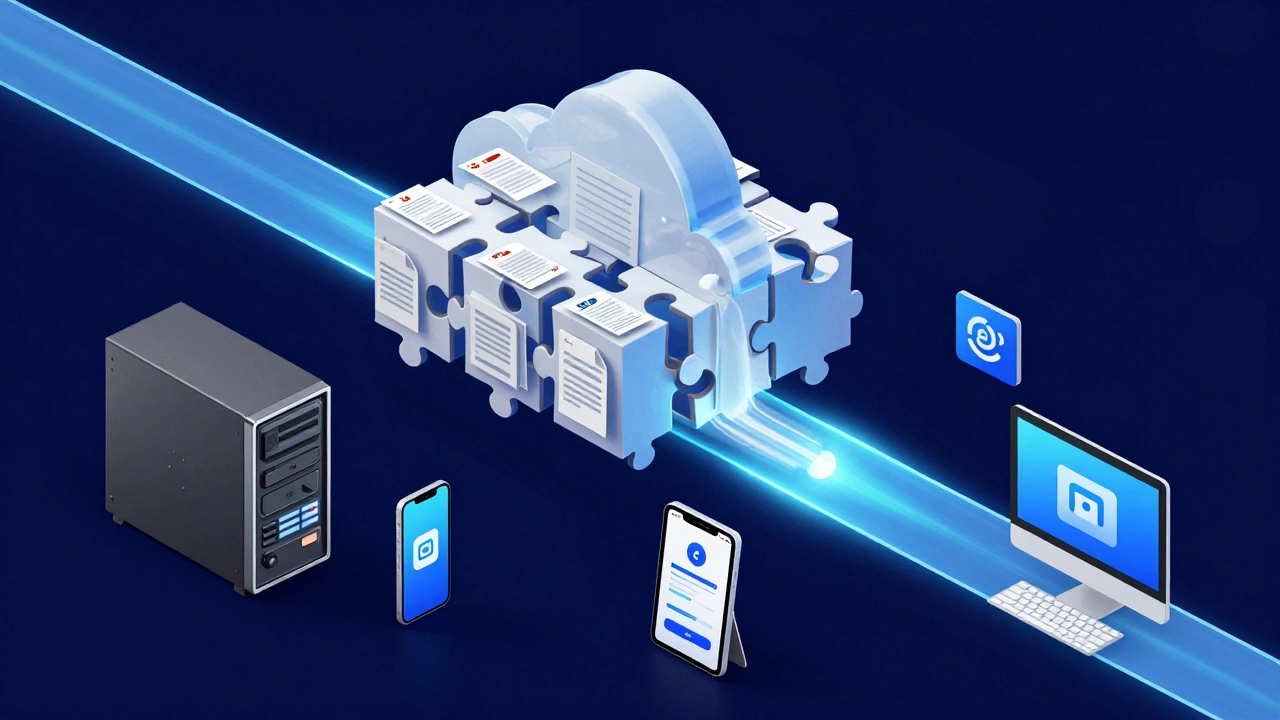
Then there is the accessibility. Because of its cloud-based architecture, a reader can start reading your investigation on their phone during a commute and switch to their desktop at home to analyze the data. This seamless sync is a lifesaver for researchers who need to cross-reference evidence across different workstations. In regions where press freedom is restricted, this platform has become a vital lifeline, providing a distribution network that reaches hundreds of millions of users who are already avoiding traditional, censored media outlets.
| Feature | Email Attachments | Cloud Storage (Drive/Dropbox) | Telegram Documents |
|---|---|---|---|
| File Size Limit | ~25 MB | High (15GB+ total) | 2 GB per file |
| Recipient Friction | Low (if email known) | Medium (Login/Permissions) | Very Low (Instant in chat) |
| Delivery Speed | Slow/Sequential | Medium (Link based) | Instant (Broadcast) |
| Device Sync | Manual | Automatic | Automatic / Seamless |
The technical workflow for document delivery
You can't just dump a raw folder into a chat and expect it to work. To ensure your long-form reporting actually gets read, you need a specific preparation process. Most professionals convert their final reports into PDF is a portable document format that preserves formatting across all devices . Using tools like Adobe InDesign or Pandoc, you can create a polished, non-editable version of your work that looks the same on a 6-inch screen as it does on a 27-inch monitor.
If your investigation is truly massive-say, a 2.5 GB archive of leaked documents-you will hit the 2 GB ceiling. In this case, you need to use a file archiver. 7-Zip is a popular open-source tool used to split large archives into smaller, manageable segments. You divide the content into 1.9 GB chunks, upload them sequentially, and provide a clear guide in the chat on how to reassemble them. Without these instructions, you risk a significant percentage of your audience giving up halfway through the download.
Pro tip: Always use the Telegram desktop app for these uploads. Mobile connections are prone to dropping, which can corrupt a 2 GB upload. A wired connection via the desktop client offers much more stability and generally faster upload speeds, often averaging between 8 and 12 MB/s on business-class internet.
Navigating the security trade-offs
Here is the uncomfortable truth: not every feature in Telegram is a security win. While Secret Chats provide end-to-end encryption for one-on-one conversations, standard channels and cloud chats use client-server encryption. This means the platform's servers hold the keys. For most distribution work, this is fine, but if you are sharing a document that could put a source's life at risk, you cannot rely on the app's built-in security alone.
To mitigate this, many investigative teams use a "layered" security approach. They pre-encrypt the PDF or ZIP file using a tool like VeraCrypt or a password-protected 7-Zip archive before uploading it to the channel. They then share the decryption password through a separate, more secure channel like Signal. This ensures that even if the Telegram server is compromised, the actual data remains unreadable without the external key.
Common pitfalls and how to avoid them
One of the biggest frustrations for recipients is the lack of a preview for very large files. When a user sees a 1.8 GB file without a thumbnail, they might hesitate to click it, fearing it's a virus or will eat their data plan. To fix this, always pair your document with a high-quality image or a short video "teaser" that explains exactly what is in the file. Use a clear, descriptive filename like Corruption_Report_CityHall_2026.pdf rather than final_v2_revised.pdf.
Another issue is the "versioning nightmare." Telegram doesn't have a native way to update a document once it's sent. If you find a typo in a 1 GB report, you can't just "edit" the file. However, recent updates allow you to edit the message caption and attach new media. The best move is to delete the old file, upload the corrected version, and clearly mark it as UPDATED in the caption to avoid confusing your audience.
Future-proofing your investigations
We are moving toward a more interactive era of reporting. There is talk of "mini apps" allowing for embedded data visualizations and interactive maps directly within the Telegram experience. Until then, the best way to ensure your work survives is through redundancy. Don't let Telegram be your only archive. Many professional teams mirror their document libraries on decentralized storage like IPFS (InterPlanetary File System) to ensure that a single platform ban or server failure doesn't erase years of investigative work.
What is the maximum file size I can send on Telegram?
The current limit is 2 GB per file. If you have a Telegram Premium subscription, this limit increases to 4 GB, allowing for even larger investigative dossiers without the need for splitting files.
Are documents sent via Telegram channels encrypted?
Documents sent in channels use client-server encryption. This is different from end-to-end encryption found in Secret Chats. For highly sensitive materials, it is strongly recommended to encrypt the file yourself before uploading it.
How do I handle files that exceed the 2 GB limit?
Use a tool like 7-Zip to split the archive into smaller segments (e.g., 1.9 GB each). Upload these parts sequentially and provide a simple, step-by-step guide in the chat caption explaining how the user can reassemble them using the same software.
Which file format is best for long-form investigations?
PDF is the industry standard because it preserves layout, fonts, and images across all devices. For raw data dumps, ZIP archives are preferred, but for the narrative report, a PDF ensures the best reading experience.
Will my readers be able to open these files on mobile?
Yes, Telegram is optimized for all platforms. However, very large files may struggle to download on weak connections. Telegram automatically manages delivery based on connection quality, but recommending a Wi-Fi connection in your caption is a helpful touch.
Next Steps for Investigators
- For Novices: Start by converting your report to PDF and testing the upload via the Telegram Desktop app to ensure stability.
- For Pro Teams: Set up a mirrored archive on a decentralized platform and implement a pre-upload encryption workflow for sensitive sources.
- For High-Risk Zones: Pair your Telegram distribution with a secure coordination tool like Signal for communicating passwords and sensitive keys.