Imagine a major event unfolding right now. An earthquake strikes, an election result drops, or a policy announcement shakes the market. Your audience needs facts, not noise. If you post updates as separate messages in a chaotic stream, people get lost. They miss context. They scroll past critical details. This is where staging breaking news with threaded posts on Telegram changes everything.
Telegram isn't just a chat app anymore. It has become a primary news distribution platform for hundreds of millions of users, especially in regions where traditional media faces restrictions or delays. By using threads-structured conversations anchored to a single headline-you can deliver fast, organized, and comprehensive coverage without overwhelming your subscribers. Here is how to build that workflow from scratch.
Why Threads Win Over Flat Feeds
In a standard broadcast feed, every new update pushes the previous one down. During a crisis, this creates a "scroller's nightmare." Users join mid-event and have no idea what happened before they arrived. Threads solve this by grouping all related updates under one anchor post.
On Telegram, threads emerge naturally when you reply to a message. Unlike X (formerly Twitter), where character limits force fragmentation, Telegram allows up to 4,096 characters per message. You can include long-form explainers, documents, and high-resolution images in a single thread entry. The Reuters Institute Digital News Report 2023 highlighted that Telegram usage for news jumped significantly, particularly in markets like Ukraine and Russia, proving that audiences crave this direct, chronological access to information.
The key advantage is structure. When you pin an anchor post, new subscribers see the start of the story immediately. As the situation develops, you add replies. The conversation stays contained. Readers can toggle between "read" and "unread" states within the thread, reducing notification fatigue while keeping them informed.
Setting Up Your Newsroom Infrastructure
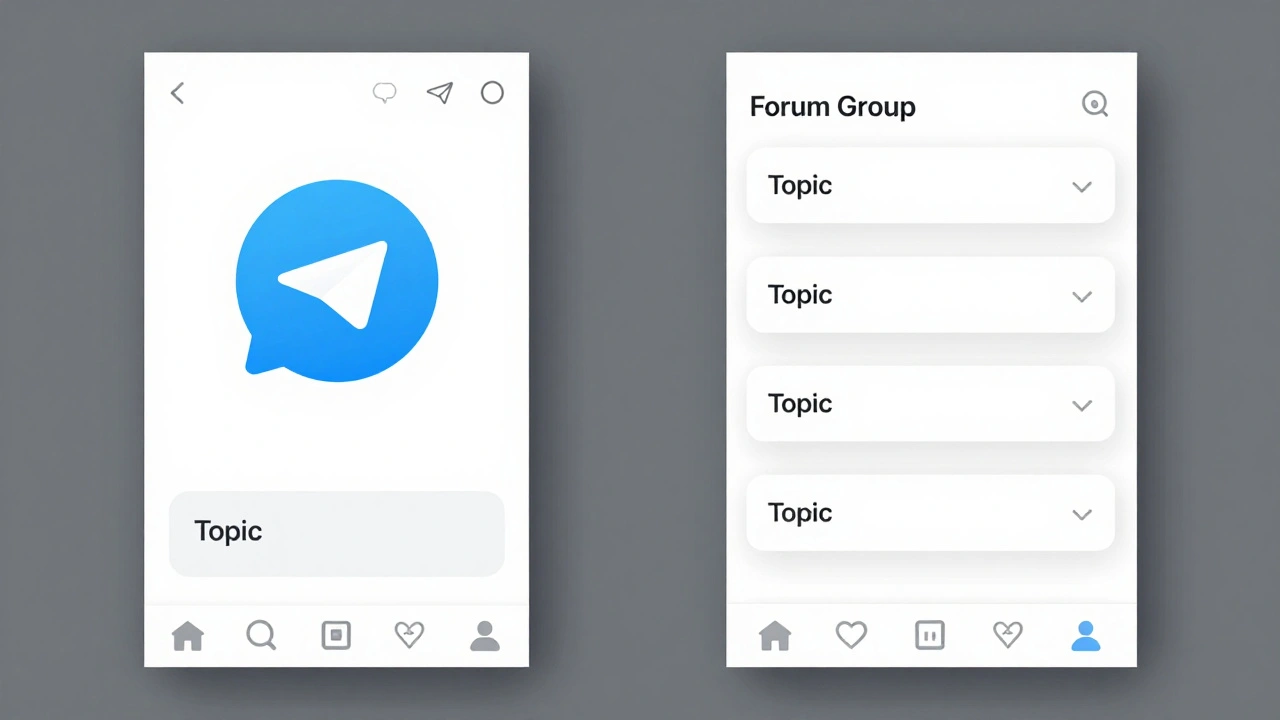
Before you publish your first alert, you need the right container. You have two main options: Channels with Linked Discussion Groups or Forum-style Groups with Topics.
| Feature | Channel + Linked Group | Forum Group (Topics) |
|---|---|---|
| Best For | One-to-many broadcasting with optional comments | Multi-story coverage with parallel discussions |
| Structure | Single feed; each post spawns a comment thread | Multiple topics; each topic is a separate thread |
| Pinning | One pinned message per channel | One pinned message per topic |
| Notification Control | Users mute/unmute entire channel | Users can mute specific topics |
If you are running a dedicated breaking news outlet, the Channel model is often cleaner for pure consumption. You post the headline, and interested readers click "Comment" to dive into the thread. However, if you cover multiple simultaneous events-like a war in one region and an election in another-the Forum Group model is superior. Each event gets its own Topic. Subscribers can choose to receive notifications only for the stories they care about, ignoring the rest.
Create a private editorial group first. Invite your writers and editors here. This is your drafting room. Once a post is approved, forward it to the public channel or group. This separation prevents accidental typos from going live and keeps your internal discussion distinct from public commentary.
Crafting the Anchor Post
The anchor post is the foundation of your thread. It must be clear, concise, and instantly recognizable. Follow this formula:
- Headline: Keep it under 120 characters. Use bold text for the core subject. Example: EARTHQUAKE: 6.5 Magnitude Strikes Coastal Region.
- Timestamp: Always include the current time in UTC. This helps international audiences contextualize the urgency.
- Initial Summary: Provide 2-4 sentences of verified facts. Who, what, where, when. Avoid speculation.
- Visual Aid: Attach a map, a photo, or a short video clip. Visuals increase engagement and help readers orient themselves quickly.
Once published, pin this message. In a Forum Group, pin it within the specific Topic. In a Channel, ensure it is the top-most visible post. From this point forward, every update goes into the reply thread of this anchor post.

Managing Updates with Replies and Scheduling
Consistency is key during breaking news. Chaos kills credibility. When you post an update, always reply to the anchor post. Number your updates clearly: "Update 1 - 14:45 UTC," "Update 2 - 15:10 UTC." This creates a chronological log that is easy to follow.
You don't always have to wait for the next development to post. Use Telegram's built-in scheduling feature to stage context. Long-press the send button and select "Schedule Message." You can pre-write background explainers, FAQs, or historical timelines and schedule them to drop at set intervals-for example, 15 minutes after the initial alert, then again at 60 minutes.
This hybrid approach balances speed and depth. Manual replies handle real-time developments. Scheduled posts provide necessary context that might otherwise get buried. Since scheduled messages appear in a dedicated queue, you can edit or cancel them if the situation changes drastically before they go live.
Automating the Workflow with Bots and APIs
As your audience grows, manual posting becomes unsustainable. Automation tools can ingest feeds and publish threaded updates with minimal human intervention. Two common approaches exist: no-code platforms and custom Bot API integrations.
For non-technical teams, services like RSS.app allow you to connect external RSS feeds to a Telegram bot. The bot checks sources every 15 minutes and posts new content automatically. While useful for steady streams of news, this method lacks the nuance needed for true breaking news staging. It struggles to maintain thread continuity unless carefully configured.
For advanced newsrooms, the Telegram Bot API offers precise control. Developers can write scripts in Python or Node.js that listen for triggers and post updates using the `reply_to_message_id` parameter. This ensures every automated update attaches to the correct anchor post. The API supports sending photos, documents, and videos alongside text, allowing rich multimedia storytelling.
Rate limits are generous but not infinite. Telegram allows roughly 30 messages per second globally per bot. For breaking news, staying below 20 messages per minute per group is recommended to avoid throttling. This is more than enough for most scenarios, even during high-velocity events.
Avoiding Common Pitfalls
Even with the best tools, mistakes happen. Here are three critical errors to avoid:
- Thread Drift: Never start a new thread for minor updates to the same story. Keep all related information in one place. If a story evolves into a completely different angle, create a new anchor post and link back to the original.
- Information Overload: Don't post every tiny detail. Summarize clusters of information. If five small updates occur in ten minutes, combine them into one cohesive reply. Respect your readers' attention spans.
- Ignoring Corrections: Mistakes will happen. Edit your messages promptly. Telegram allows editing posts for up to 48 hours in regular chats and indefinitely for channel admins. Add a note like "[CORRECTED]" at the top of edited posts to maintain transparency.
Integrating with Other Platforms
Telegram should be part of a broader distribution strategy, not a silo. Use automation tools like n8n to cross-post content. For instance, a workflow can detect a new post in your Telegram channel and automatically share it to X, LinkedIn, or your website based on tags in the message body.
This "write once, distribute everywhere" model saves time and ensures consistency across channels. However, tailor the format for each platform. A detailed Telegram thread might need to be condensed into a shorter tweet or expanded into a full blog post. The thread serves as the source of truth; other platforms drive traffic back to it.
Future-Proofing Your Strategy
Telegram continues to evolve. Recent updates have introduced threaded chats for bots and enhanced AI capabilities. These features open doors for smarter Q&A threads, where an AI agent answers reader questions within the context of a specific breaking news story. As misinformation remains a challenge, structured, verifiable threads offer a beacon of reliability.
By mastering these techniques, you transform Telegram from a simple messaging app into a powerful newsroom tool. You provide clarity in chaos. You keep your audience informed, engaged, and trusting. Start small. Practice with low-stakes events. Refine your workflow. Soon, you'll be ready to handle any breaking news scenario with confidence.
What is the difference between a Telegram Channel and a Forum Group?
A Channel is a one-to-many broadcast tool where only admins can post, and subscribers can view comments in a linked group. A Forum Group uses "Topics" to create multiple parallel threads within a single group, allowing users to subscribe to specific discussions and enabling better organization for multi-story coverage.
How do I create a thread in Telegram?
To create a thread, simply reply to an existing message. In a Channel, tap the message, select "Reply," and type your update. In a Forum Group, create a new Topic, which acts as a dedicated thread. All subsequent replies to that initial message or topic form the thread.
Can I schedule posts in Telegram?
Yes. Compose your message, long-press the send button, and select "Schedule Message." Choose the desired date and time. The message will be posted automatically at that moment. You can manage scheduled posts in the "Scheduled Messages" section of the chat settings.
Is there a limit to how many messages I can send in a thread?
There is no hard limit on the number of messages in a thread. However, performance may degrade on older devices if a thread contains thousands of messages. For breaking news, it is best practice to archive or summarize old threads periodically to maintain usability.
How can I automate breaking news updates on Telegram?
You can use no-code tools like RSS.app to post from RSS feeds, or build custom bots using the Telegram Bot API. With the API, you can use parameters like `reply_to_message_id` to ensure automated updates are added to the correct thread. Tools like n8n can also bridge Telegram with other platforms for cross-posting.
Should I use Telegram for breaking news if my audience is global?
Yes, Telegram has over 800 million monthly active users worldwide. It is particularly popular in Eastern Europe, Latin America, and parts of Asia. However, ensure you complement it with other platforms like X or WhatsApp to reach audiences who may not use Telegram regularly.
What is the maximum file size I can upload in a Telegram thread?
Telegram allows uploads of up to 2 GB per file. This makes it ideal for sharing high-resolution images, lengthy documents, or large video files directly within the thread without needing external links.
How do I handle corrections in a breaking news thread?
Edit the original message promptly. Telegram allows indefinite editing for channel admins. Add a clear marker like "[CORRECTED]" at the beginning of the updated text to maintain transparency and trust with your readers.
Can I pin multiple messages in a Telegram Channel?
In a standard Channel, you can only pin one message at a time. However, if you use a Forum Group with Topics, you can pin one message per Topic, allowing you to highlight multiple breaking stories simultaneously.
Is Telegram safe for distributing sensitive news?
Telegram offers cloud-based encryption and secret chats with end-to-end encryption. For public news channels, content is stored on Telegram's servers. While generally secure, always verify sources and be cautious about sharing personally identifiable information in public threads.