Imagine you’re a journalist covering a breaking story. Every day, you post short updates - a photo from the scene, a quick video interview, a text snippet with context. But after a week, your Stories are buried under new posts. Your audience can’t follow the full arc. That’s where Story Albums on Telegram come in.
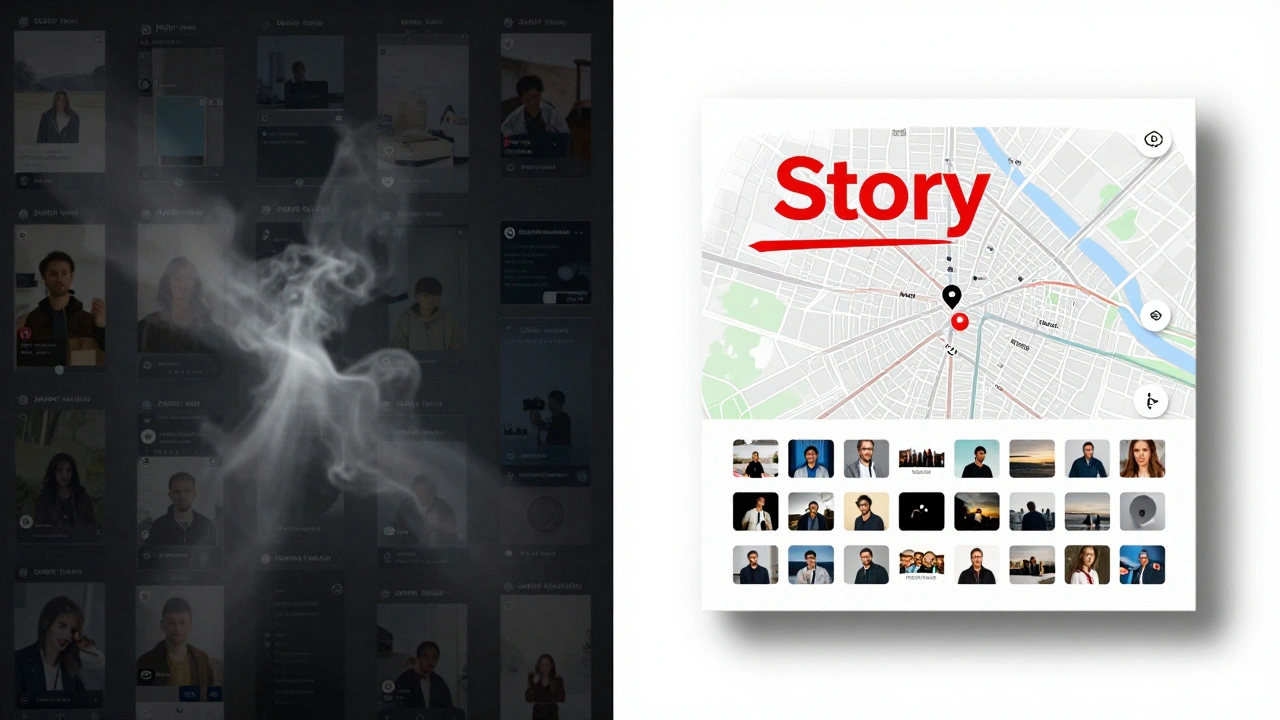
Telegram’s Story Albums let you take your daily Stories - the ones that vanish after 24 hours - and turn them into permanent, organized collections. Think of them like a digital scrapbook you control completely. No more messy feeds. No more lost context. Just clean, clickable timelines you can share with anyone.
What Are Story Albums, Really?
Story Albums aren’t just folders. They’re dynamic, editable collections of Stories you’ve already posted. Unlike Instagram’s static Highlights, which lock in content when you create them, Telegram’s Albums let you add, remove, and reorder Stories anytime - even if they were posted months ago.
Here’s how it works: Every Story you post gets archived. Even if you hid it from your profile, it’s still there. With Story Albums, you can dig into that archive, pick out the ones that belong together, and assemble them into a sequence that tells a story. A protest? A product launch? A travel journey? Group them. Reorder them. Give them a cover image. Share the link.
It’s not magic. It’s design. And it’s built for people who post often - journalists, creators, brands, community leaders.
How to Build a News Timeline
Let’s say you’re covering a local election. You post daily updates: candidate reactions, voter turnout stats, polling station photos. By election day, you’ve got 15 Stories. Most are gone. But with Story Albums, you can do this:
- Open Telegram and go to your Stories section (tap your profile picture or the camera icon).
- Tap "Albums" - it’s right under your Stories feed.
- Click "Create New Album" and name it "Election 2026 Updates".
- Tap "Add Stories" and scroll through your entire archive. Pick the ones that matter.
- Drag and drop them into the order you want: start with voter registration, then debates, then results.
- Set a cover photo - maybe a map of the district.
- Turn on "Shareable Link" so anyone can view it without being your contact.
Now, when someone asks, "What happened during the election?" - you send one link. Not 15 screenshots. Not a messy chat thread. One clean, scrollable timeline.
Why Reordering Matters
This is the game-changer: you can rearrange Stories however you want. The original posting date doesn’t matter anymore.
On Instagram, your Highlights are stuck in the order you added them. On Snapchat, there’s no organization at all. On Telegram? You can start your album with the most important moment - even if it was posted third. Want to build suspense? Put the climax at the top. Want to show cause and effect? Order them chronologically. It’s your call.
This flexibility turns Stories from fleeting updates into narrative tools. A cooking channel can start with the final dish, then show the steps backward. A travel blogger can begin with the sunset, then walk viewers through the day. It’s storytelling, not just logging.
Sharing Your Albums Publicly
Here’s another underrated feature: you can share an Album as a public link. No login. No follow. Just tap "Copy Link" and paste it into a post, a channel, a WhatsApp group, or even a website.
That means your Story Album can become a landing page. A news outlet can link to their "Breaking News: Flood Response" Album in every article. A small business can share their "New Product Launch" Album in their email newsletter. A teacher can send students a "Week 5 Lessons" Album as a review resource.
It’s not just for personal use. It’s for distribution.
Who Uses This? Real Examples
- Journalists: Covering a protest? Create an album titled "Day-by-Day: City Hall Protests" with videos, quotes, and maps. Link it in every follow-up article.
- Small Businesses: A bakery posts daily behind-the-scenes Stories. Turn them into an album called "How We Bake Our Sourdough" - perfect for new customers.
- Teachers & Educators: Post daily lessons as Stories. Compile them into an album called "Chemistry Unit 3" for students to review.
- Event Organizers: A music festival posts daily highlights. Create an album called "Festival 2026: The Highlights" and share it after the event ends.
None of this requires technical skills. You don’t need to code. You don’t need a team. Just open Telegram, tap a few times, and organize what you already posted.
Behind the Scenes: How It Works
Technically, Story Albums use Telegram’s API with a structure called StoryAlbum. Each album has an ID, a title, and optional cover media - a photo or even a short video. You can update albums anytime: add new Stories, delete old ones, change the title, or reorder the sequence.
The system doesn’t limit you. No cap on how many Stories you can add. No auto-deletion. No time limits. If you posted a Story a year ago and it still matters? You can pull it into an album today.
And it’s not just on mobile. The feature works the same on Telegram Desktop, Android, and iOS. Your albums sync across devices. No data loss. No confusion.
How It Compares to Other Platforms
| Feature | Telegram Story Albums | Instagram Highlights | Snapchat Stories |
|---|---|---|---|
| Permanent Storage | Yes - Stories never expire in albums | Yes - but only if manually kept | No - all Stories disappear after 24 hours |
| Reorder Stories | Yes - drag to any position | No - fixed by creation order | No - no organization |
| Add Old Stories | Yes - pull from archive anytime | No - can only add new Stories | No - no archive access |
| Public Sharing | Yes - shareable link | No - only visible to followers | No - no link sharing |
| Custom Covers | Yes - photo or video | Yes - photo only | No |
| Unlimited Capacity | Yes | Yes - but limited to 100 per Highlight | N/A |
Telegram wins on flexibility. It doesn’t just copy Instagram. It improves on it.

What You Can’t Do (Yet)
There are limits - but they’re not dealbreakers.
- You can’t automate album creation with bots (yet). Manual curation is still required.
- You can’t set a default album to auto-populate. You choose every Story.
- There’s no analytics - you can’t see who viewed your album.
But none of that stops you from using it effectively. If you’re focused on clarity, not metrics, this is the best tool out there.
Getting Started: Your First Album
Here’s a quick checklist to make your first Story Album today:
- Open Telegram and go to your profile.
- Tap "Stories" then "Albums".
- Tap "Create Album".
- Name it something clear - "My Travel Log 2026", "Product Launch Updates".
- Tap "Add Stories" and scroll through your archive.
- Select 5-10 Stories that tell a mini-story.
- Drag them into the order that makes sense.
- Tap "Cover" and pick a photo or video.
- Toggle "Shareable Link" on.
- Tap "Done".
That’s it. You’ve just turned scattered updates into a lasting narrative.
What’s Next?
Telegram’s Story Albums aren’t just a feature. They’re a shift in how we think about Stories. No longer disposable. No longer chaotic. Now, they’re archiveable, shareable, and intentional.
As more journalists, educators, and brands adopt this, we’ll start seeing entire news series, educational modules, and brand campaigns built inside Telegram Albums. It’s not a trend. It’s a new standard.
If you post Stories regularly - whether for work, passion, or community - this is the tool you’ve been waiting for. No app switch. No extra cost. Just better storytelling.
Can I use Story Albums if I’m not a Premium user?
Yes. Story Albums are available to all Telegram users, not just Premium subscribers. The feature was rolled out to everyone after its initial beta test with Premium users in 2023.
Can I edit an album after I’ve created it?
Absolutely. You can rename the album, change its cover image or video, add new Stories from your archive, delete Stories, and reorder them - anytime. There’s no lock-in.
Do Stories in albums expire?
No. Once you add a Story to an album, it stays there permanently - even if its original 24-hour timer has passed. The album becomes its own persistent archive.
Can I share an album with specific people only?
You can choose to make an album public with a shareable link, or keep it private. If you make it public, anyone with the link can view it. There’s no option to restrict access to specific contacts - it’s either public or hidden.
How many albums can I create?
There’s no limit. You can create as many Story Albums as you want. Each can hold unlimited Stories, and you can name them anything.
Can I add Stories from other people’s profiles to my album?
No. You can only add Stories that you yourself have posted. Story Albums are personal archives - you can’t curate someone else’s content.
Do Story Albums show up on my profile?
Yes. Your Story Albums appear as a row of icons below your main Stories feed on your profile. People who visit your profile can tap any album to view its full collection.
Story Albums turn what was once temporary into something lasting. If you’ve been posting Stories and feeling like they disappear too fast - this is your fix. Start small. Build one album. See how it changes the way people engage with your content.