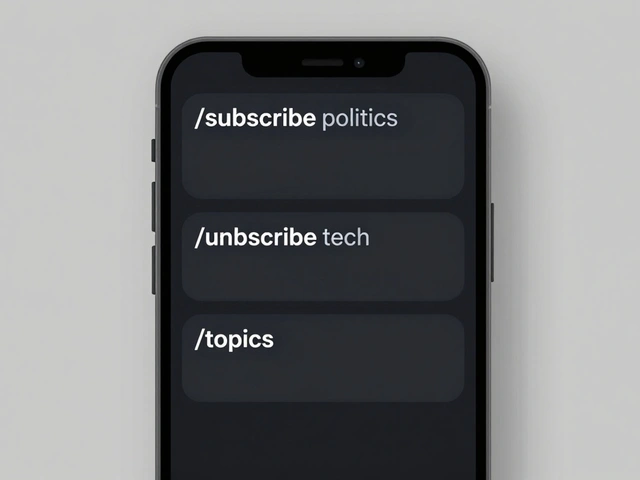
Imagine waking up to a single Telegram message that doesn't just link to five different articles about a market crash, but gives you a crisp, three-bullet point summary of exactly what happened and why it matters. Most people spend hours scrolling through feeds or subscribing to a dozen newsletters that clutter their inbox. The real problem isn't finding news; it's filtering the noise. By building a custom Telegram news bot, you can turn the platform into a personal intelligence agent that monitors the web, summarizes the essentials using AI, and reposts key alerts to your community automatically.
The Blueprint: How a News Bot Actually Works
Before touching any code or automation tools, you need to understand the pipeline. A news bot isn't one single program; it's a chain of events. First, the bot needs a source-usually an RSS Feed or an API. Second, it needs a brain to process that data. This is where Large Language Models (LLMs) come in to strip away the fluff. Finally, it needs a delivery mechanism, which is the Telegram Bot API, the interface that allows your script to send messages to users or groups.
If you're building this today, you have two main paths. You can go the traditional route using Python and libraries like python-telegram-bot, which gives you total control over every function. Or, you can use a no-code approach with n8n, a workflow automation tool that lets you connect "nodes" like Lego bricks. For most people, the no-code route is faster and easier to maintain, especially when managing API keys and scheduling.
Sourcing Your News: From APIs to Feeds
Your bot is only as good as its data. If you rely on a single source, you get a biased view. The most reliable way to get real-time data is through the Google News API, which aggregates headlines from across the web. However, for niche topics-like tracking a specific company or a local government site-RSS feeds are your best friend. They provide a standardized XML file that your bot can check every few minutes for updates.
A common mistake beginners make is polling the API too frequently. If you check for news every ten seconds, you'll likely hit rate limits and get your IP blocked. A better rule of thumb is to set a check interval of 15 to 30 minutes. This is plenty for "breaking" news while keeping your bot under the radar of security filters.

AI Summarization: Cutting the Fluff
Sending a raw link is easy; summarizing it is where the magic happens. You don't want a generic "This article is about X" summary. You want a distilled version that retains facts, statistics, and core arguments. For this, you need a model that handles context well. While GPT-3.5 is common, many developers are moving toward Mixtral because it's often more cost-effective and handles summarization tasks with higher precision for shorter articles.
If you're dealing with long-form journalism or whitepapers, you'll run into the "context window" problem-the AI simply forgets the beginning of the text by the time it reaches the end. To fix this, use a chunking strategy. Divide the article into sections of 2,000 words, summarize each section into a paragraph, and then perform a "final pass" where the AI summarizes those paragraphs into five key bullet points. This ensures the bot doesn't miss a crucial detail buried in the middle of the text.
| Model | Best For | Key Attribute | Deployment |
|---|---|---|---|
| Gemini 2.5 Flash | Professional/Fast speed | High efficiency | Cloud API |
| Mixtral | Cost-effective quality | Open-source flexibility | Cloud or Self-hosted |
| Ollama | Privacy & Local control | Runs on own hardware | Local Machine |
Automating the Repost and Alert System
Once you have a summary, you need to get it in front of people. A simple alert bot sends a message once and stops. A reposting bot, however, is designed for visibility. You might want a critical alert-like a price drop or a policy change-to be reposted to a group every 30 minutes for a few hours to ensure everyone sees it.
In n8n, you can achieve this by adding a "Wait" node or a cron-job trigger. The logic looks like this: Fetch News $ ightarrow$ Summarize $ ightarrow$ Post to Group $ ightarrow$ Wait 30 Mins $ ightarrow$ Repeat until 3 iterations. Just be careful; if you repost too often, your members will mute the group or, worse, report the bot for spamming.
To keep the bot secure, implement a User ID check. You don't want random strangers triggering your AI summaries and racking up your API bill. Set up a filter that checks if the Telegram User ID matches your own before the bot processes any request. If it doesn't match, have the bot reply with a polite "This bot is private!"
Advanced Features to Scale Your Bot
Once the basics are working, you can move beyond simple summaries. Try adding keyword extraction, where the bot tags each post with #Tech, #Finance, or #Health, making the chat history searchable. You could also integrate a translation layer using an API to pull news from Japanese or German sources and deliver the summaries in English.
For those who want a permanent record, connect your bot to a Google Sheet or a database. Every time a news item is summarized, the bot logs the original URL, the summary, and the date. This turns your Telegram bot into a searchable archive of industry intelligence, which is far more valuable than a scrolling chat window.
Do I need to pay for the Telegram Bot API?
No, the Telegram Bot API is free to use. However, you will likely have to pay for the "brain" of the bot-the AI models like Gemini or GPT-depending on how many tokens you process each month.
How do I stop my bot from posting duplicate news?
The best way is to maintain a "seen" list. Store the URLs of the articles your bot has already processed in a simple database or a text file. Before posting, the bot should check if the current URL is already in that list; if it is, the bot simply skips it.
Can I run this bot on my own computer?
Yes, you can use tools like Ollama to run AI models locally and host your n8n instance on a home server or a Raspberry Pi. This keeps your data private and removes monthly API costs, though it requires more hardware power.
What is the best way to format the summaries?
Bullet points are the gold standard for Telegram. Use a prompt that specifically asks the AI for "5 key takeaways in bullet points, each no longer than 15 words." This prevents the bot from sending walls of text that users will ignore.
How do I give my bot permission to post in a group?
You must add the bot as a member of the group and then promote it to an Administrator. Even if you don't give it full admin rights, it needs the specific permission to "Post Messages" to function correctly.
Next Steps and Troubleshooting
If you're just starting, begin with the no-code approach using n8n and the Google News API. It's the fastest way to see a result. If your summaries feel too vague, spend time refining your prompt-give the AI examples of a "perfect" summary to guide its style.
If your bot suddenly stops posting, check two things: your API quota and your bot token. Tokens can occasionally be reset, or you might have hit the daily limit of your AI provider. For those moving to a professional setup, consider deploying your bot on AWS Lambda; this way, the bot only "wakes up" and consumes resources when there is actually news to process, saving you money on hosting.
Latest Posts